


SOF Ponds
Members
-
Joined
-
Last visited
Everything posted by SOF Ponds
-
i thought it worked with vanilla vehicles. what should i do about microsoft edge thing
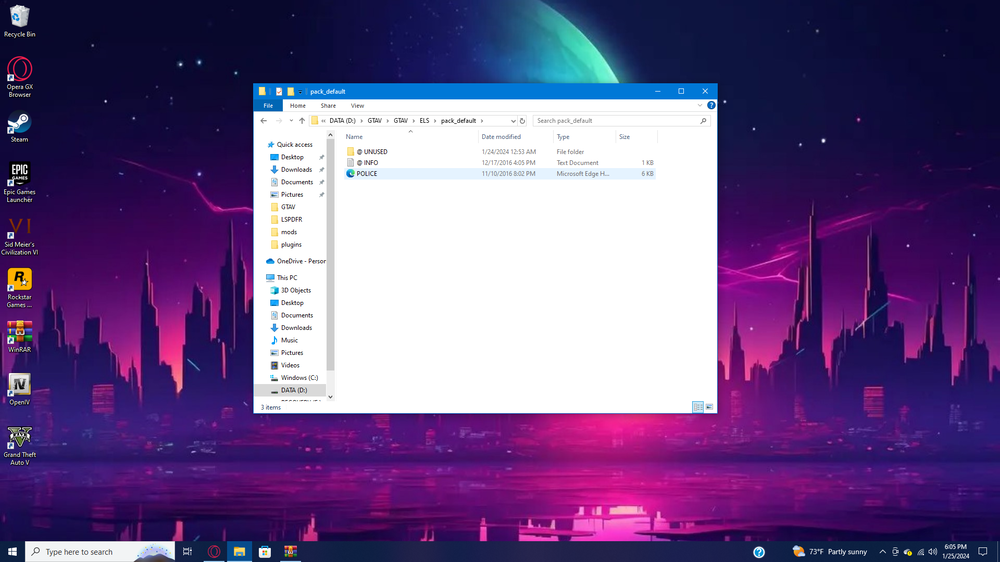
-
i thought it worked with vanilla vehicles
-
for some reason it gets turned into a microsoft edge thing and im using vanilla vehicle
-
// GTA V ASI LOADER (build May 2 2015) // (C) Alexander Blade 2015 LIB: "C:\WINDOWS\system32\dinput8.dll" => 00007FFC9AF30000 API: "DirectInput8Create" => 00007FFC9AF32230 API: "DllCanUnloadNow" => 00007FFC9AF45220 API: "DllGetClassObject" => 00007FFC9AF45330 API: "DllRegisterServer" => 00007FFC9AF54740 API: "DllUnregisterServer" => 00007FFC9AF549C0 LOADER: Loading *.asi plugins ASI: Loading "D:\GTAV\GTAV\ELS.asi" "ELS.asi" => 00007FFC9CF00000 ASI: Loading "D:\GTAV\GTAV\openCameraV.asi" "openCameraV.asi" => 00007FFC9E580000 ASI: Loading "D:\GTAV\GTAV\OpenIV.asi" "OpenIV.asi" => 00007FFC9DD40000 ASI: Loading "D:\GTAV\GTAV\TrainerV.asi" "TrainerV.asi" => 00007FFC815D0000 LOADER: Finished loading *.asi plugins
-
my lights work when i press E but the game menu open when i press cntrl + p
-
i need help with my ELS i have everything installed can anyone give me any tips on why it would not work
-
 can someone help me i installed it like the file said but its not working
- 2,699 comments
- 240 reviews

