


tigerssss
Members
-
Joined
-
Last visited
Everything posted by tigerssss
-
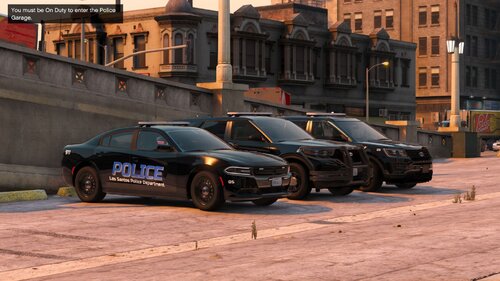 one of the best works i've seen on this site in a while!! yet, as a person with an OCD it really bothers me that the left break light doesn't turn on.. as u can see here:
 -
 i just downloaded this pack as an ADDON yet i can't see the vehicles in the trainer at the added vehicle menu but i know it's inside the game since the game isn't crashing and i can open the yft files in openIV
- 253 comments
- 53 reviews
-
 one of the best packs out there. yet i've got a question (more like a request) is it possible that you'll add a freedom lightbar and liberty? i just feel that the 'legacy' is too ''flat''. and the legacy lightbar also doesn't match the other lightbars in the pack...
- 240 comments
- 26 reviews
-
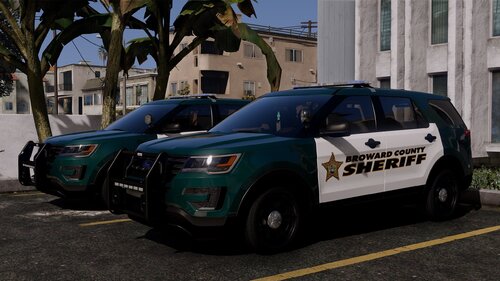 What exactly is 'hybrid ELS'? is it something related to the ELS stages?
 -
Are u planning to make a replace version? I would like to have an entire pack or even a few SUV's such as: Dodge Durango, Ford Explorer, etc..
-
 what is the name of the badge file? and which folder is it in? i'm having a bit of textures loss and need to fix this. all i need is the name of the badge and which folder is the one that contain it
- 131 comments
- 5 reviews
-
 what vehicle pack is that? i've been trying to find one exactly like that for weeks
- 110 comments
- 20 reviews
-
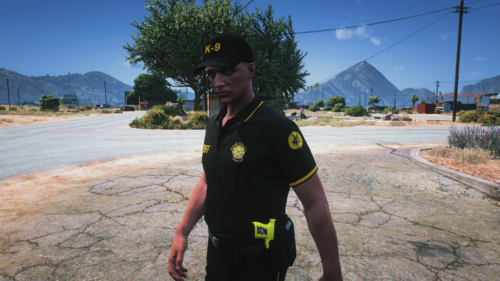 yeah.. i'm sorry about it but i had a problem with my eup menu and after i got it fixed it was finally working.. sorry about your hard work trying to make it support files that was working perfectly fine, i should've edited my review and just wanted to say great work!
 -
I don't know why but I can see only 2 shirts and now gonna look for the hats hopefully they'll appear
