Ghost81
Members
-
Joined
-
Last visited
Everything posted by Ghost81
-
@OfficerChris1 Would like to say thank you for helping me, unfortunately the only way to fix this issue, was to just use a previous version of GTA 5. Which I forgot I backed up; lesson learnt always backup your game. PS: I think the issue was an overload of mods or I saved the game at some point whilst on duty or LSPDFR was loaded.
-
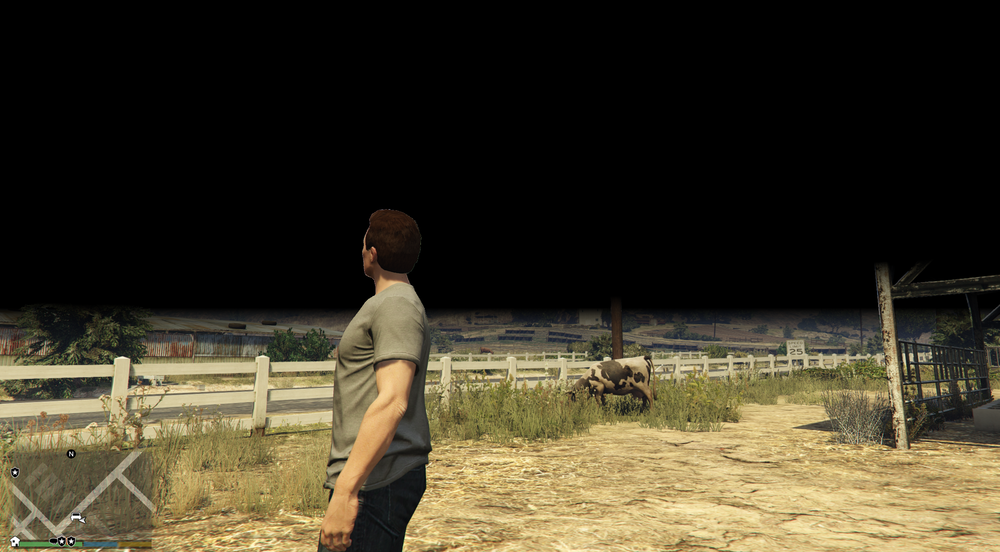
(Update so far.) - I've updated my graphics card may have helped. - Checked my permission all three administration groups, all box's ticked except special permission box, not ticked not sure if this right? - renamed "mods" folder to "_mods" good news is LSPDFR has loaded by itself, further on this however now I have a black background. From my knowledge I believe this is related to "OUTDATED" Mods. I will continue to investigate which particular mod is the issue.
-
Game Version: 1.0.3028.0 What I've done to try and fix the solution: - Updated RAGENativeUI: no fix - changed Main.DisableGameBlipHiding = true: no fix - deleted DNX New Grand Senora Desert Road: no fix - deleted Custom Maps: no fix Please help myself and others down below is RagePluginHook.log file. RagePluginHook.log