Hunters72818
Members
-
Joined
-
Last visited
Everything posted by Hunters72818
-
Thank you!! Your my hero, made it seem too easy to fix lol All is now working perfectly... and absolutely, I am a huge fan of your callouts pack!
-
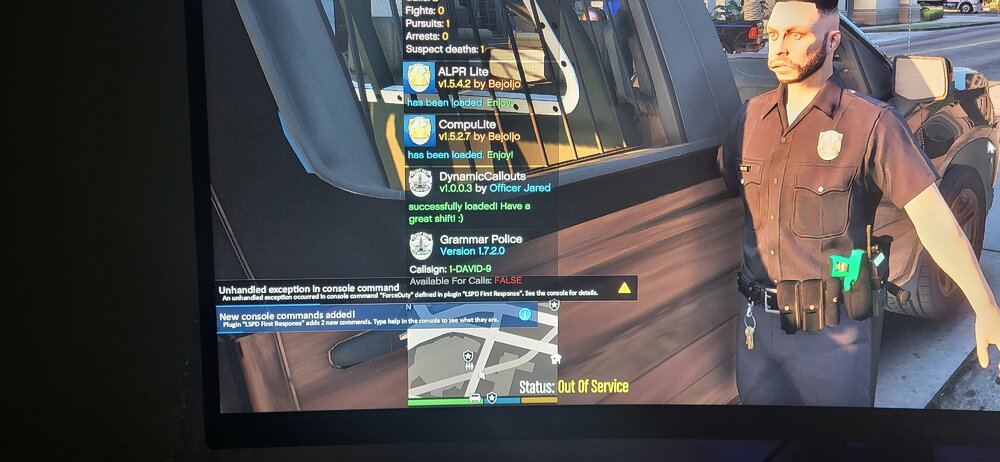
Hello all! I've had the game working fine now for a month or so without any issues, and decided to go and add a few more mods/scripts.... Now the game will load (sometimes gets stuck in the loading screen), but when I attempt to ForceDuty ( or go to the PD to check on duty), it throws the unhandled exception warning up. At times it will place me into uniform, but most attached to LSPDFR will not work. I attempted to fix by removing each added mod/script one by one and adding back after, but have not been able to figure out what I've done here...any help would be appreciated! I attached my last RAGE log and a screen shot of the warning. RagePluginHook_01122023_012603.log