David CB
Members
-
Joined
-
Last visited
Everything posted by David CB
-
Thanks for your help @Ouxlaw. Are you certain which callouts packs work with Enhanced? Have you tried some of them? Cheers
-
Yesterday I installed GTA 5 Enhanced along the new LSPDFR Enhanced too. Now I wonder what content in form of mods, plugins, callouts etc. are available for Enhanced, made from scratch or compatible with the new version. Is there a place where I can look for sources regarding that? Thanks in advance.
-
In download page in this web (https://www.lcpdfr.com/downloads/gta5mods/g17media/52970-lspd-first-response-enhanced-preview/), you have 2 options to download, main files or extra. Using extra solves interior problem as quoted there "Please download if you are having issues accessing the PD interior." I installed LSPD First Response (Enhanced Preview) yesterday and I had that PD interior problem. Solved it doing I mentioned the paragraph before.
-
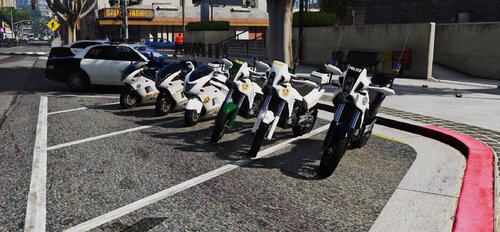 Hello, I can spawn the bikes, and they are gorgeous, but for some reason, when I want to spawn a buddy with my same bike, either the police dirt bike or the police kayuzo, only appears the partner and no bike. If I spawn another bike for them with the console, they always mount in mine with me or no mount at all.
- 37 comments
- 2 reviews
-
Solved. I checked this two lines in the log. [7/6/2023 8:34:26 PM.144] Command line option "disableCustomLoadingScreen" is specified twice. Please remove one. [7/6/2023 8:34:26 PM.144] Command line option "DX11" is specified twice. Please remove one. And deactivating those parameters in the RAGEPluginHook settings the game runs fine. Thanks anyway, maybe this could be help for somebody else.
-
Hello I installed GTA V again, and the mod LSPDFR (only this one, no mods else). I followed all the steps and the first time worked like a charm, I could patrol a while, etc. I ended my shift, and decided to fast travel to the apartament. Then the game kept a black screen and kept a loop in loading. I closed the game, and this evening the game crashes all the time I start. I verified the game archives, I reinstalled LSPDFR, and nothing. Here is my log. Thanks in advance. RagePluginHook_06072023_172141.log