


MisterTopaz
Members
-
Joined
-
Last visited
Everything posted by MisterTopaz
-
 So i download a standart xml file an rename it? Ok i dint now that you can do this
 -
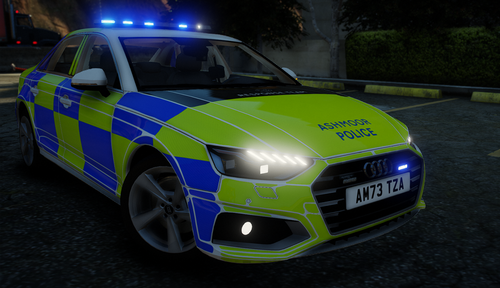 Hello why ist this ELS compatible? In this file is no xml file??
 -
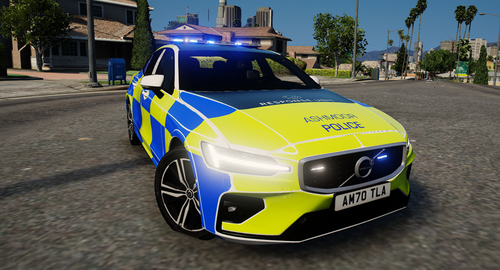 Hello why ist this ELS compatible? In this file is no xml file??
 -
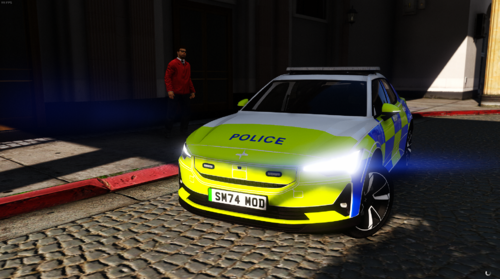 Hello why ist this ELS compatible? In this file is no xml file??
 -
Hello why ist this ELS compatible? In this file is no xml file??
-
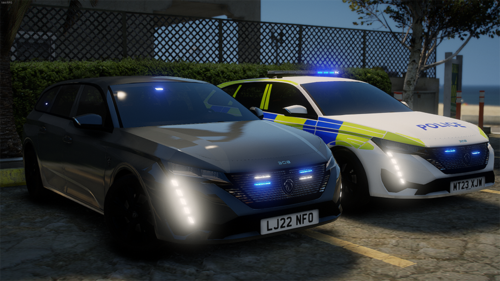 Hello why ist this ELS compatible? In this file is no xml file??
 -
-
...\SteamLibrary\steamapps\common\Grand Theft Auto V\mods\update\x64\dlcpacks\NVE\dlc.rpf\x64\vehicles.rpf\ You have to copy all your police vehicles also in this path. Than you have all modded Police Vehicles in the game. 🙂
-
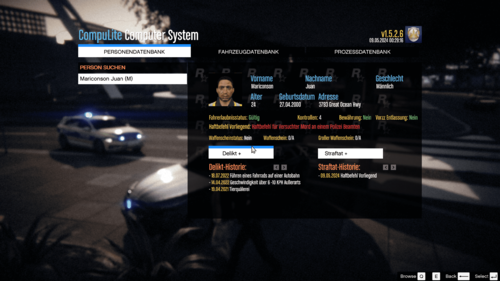 Hello folks, I was bored and completely translated the English UI into German. Some of my own menu items were added and some were named differently. There will be some updates and general revisions to the punishment system in the future that actually apply to Germany. This is the first version of the file, which may still have some errors that I will fix soon. The CompuLite plugin is required for completeness. You can download this from Bejoljo. Please note the installation instructions. I wish you much fun with it. If you have any problems or requests, please feel free to write to me ------------------------------------------------------------------------------------------------------------------------------------------------ Update: CompuLite Language Pack DE + New Menu V2.0 [Coming Soon] -Rename "Delikt" to "Strafzettel Erstellen" -Rename "Straftat" to "Straftat Melden" -Rename "Delikt-Register" to "Ausgestellte Strafzettel" -Rename "Straftrat-Register" to "Bundeszentralregister" -Better Menu and Prices First Look to new Menu "Strafzettel Erstellen" Strafzettel Erstellen.zip CompuLite Language Pack DE V1.1 [Bug Fixes] - Fix some Overlapping menu items - New Speeding Ticket System added -Speeding Citiation // Only Ticket ~ Stade/Land -Speeding Crime // License suspended ~ Stade/Land - Some revised menu items -Regroup some menu items CompuLite Language Pack DE V1.0 [Release] - Complete UI in German - Some revised menu items - Added some menu items
 -
Thank you allot, this worked really well for me. I test it and i played now for 1 Houre with no chrash. 🙂
-
Yes 🙂
-
Here i create a pc for you CPU: AMD Ryzen 5 7600X Mainbord: Gigabyte B650 Gaming X AX V2 (Win 10 Ready ~ Win 11 need TPM Chip on Mainbord) CPU Cooling: be quiet! Silent Loop 2 360mm Watercooling SSD: 1x Samsung 980 Pro 500 GB, 1x Samsung 980 Pro 2 TB Case: be quiet! Pure Base 500, Tower Case PSU: be quiet! Pure Power 12M 1000W RAM: 2x Kingston Fury Dimm 16 GB DDR5-5200 (2x8GB) Dual Kit ~~ 32GB Ram Quad Channel GPU: Gigabyte Geforce RTX 4070 Super Windforce OC 12G TPM Chip: Modul TPM 2.0 Gigabyte Pour Carte mere intel 400/300 Series ou AMD B350 (GC-TPM20SPI20) Please look in the description from Mainbord which TPM you need EU Prize uvp: 1.800,00€
-
You Need min. 1000W Power Supply or you loose many Performence. For the last Post i would choose 32GB DDR5-5200Mhz Ram. The Ryzen CPU dont support 6000Mhz.
-
Hello, After a lot of troubleshooting, I'm starting to despair. LSPDFR crashes all the time. After about 3-10 minutes of playing time. The log file is attached. I hope someone can help me with this RagePluginHook.log


