



Pupernickel
Members
-
Joined
-
Last visited
Everything posted by Pupernickel
-
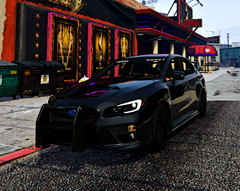
From the album: my random gallery
-
just my LSPDFR images
-
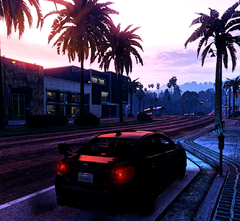
From the album: my random gallery
-
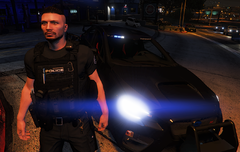
From the album: my random gallery
-
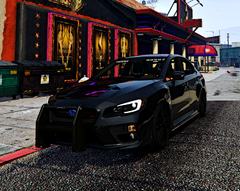
From the album: my random gallery
-
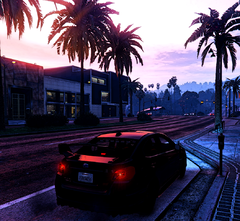
From the album: my random gallery
-
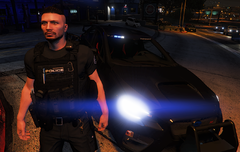
From the album: my random gallery
-
-
 Hey, just installed the mod today and ITS SO GOOD. It was weird to chase poeple down and only scream at them, never interacting with the dispatch. I have one question. Could you somehow make a mod like this for Stop the Ped? Maybe you can also use a text to speech program to make the player character look more like a police officer. I only ask this because I don't use policegrammer/vocaldispatch (and never will) but I really like the immersion.
- 403 comments
- 24 reviews
-
Okay, I got it working again. But I don't understand why at all. Here's what I did while we were writing: I copied and overwritten the two folders in "mods" with "update" and "x64" and suddenly it worked again. What I don't understand is that I had already renamed the "mods" folder to "_mods" and it didn't work.
-
it is called "mods" right now.
-
please reload the site, i edited it. sry for that, i hoped im fast enough.
-
RagePluginHook.log
-
i reinstalled atleast RPH, Script Hook V Dot Net and rageUI but nothing is working to fix it so far.
-
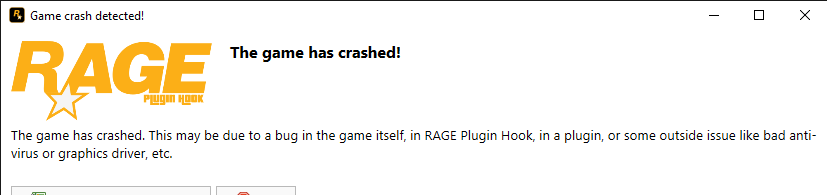
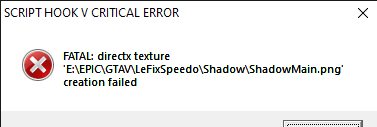
oh, sorry. I thought you meant what I'm going to do next. So when I start the game and RPH loads and then says "initializing core" it crashes. This window then appears on the desktop:
-
i dont know. I think i reinstall rage and lspdfr + rageui
-
Unfortunately that doesn't work either. I really wonder what I did wrong. But thanks for your efforts. 🙂
-
Doesnt work. 😞
-
I forgot about that, thanks. So i did it and got this error: After that, i changed the settings in RagePluginHook so its not starting with directx 11, only windowed mode. But now its getting the same crash as before. Do you have any other ideas?
-
Hey, When the game starts, RPH is loading and at a certain time it crashes. I tried to add new police vehicles and followed this Tutorial. After that crash i removed (i hope i got everything removed) everything i installed and installed a backup of all the files. Maybe i forgot some files. Sry for this basic problem but i dont know a thing about codes or how to read log files proper than just try to understant. 😄 I post the last log file here, let me know if you need a crash report, i have one. THANKS RagePluginHook.log
-
So I have now uninstalled Section136 callouts because I had problems installing the dependencies. I dont need this mod that bad so its fine. That has now solved the problem. Thanks, without you I wouldn't have found it so quickly. Just roughly knew that something was wrong with Section136 callouts.
-
sry didnt know that, thanks for the info. Here is the one in the gta5 folder. RagePluginHook.log
-
So my LSPDFR crashes when I just go on duty. I don't know what to do anymore because I don't know how to read the log files. I tried to retrace my last steps after the crash but got nowhere with it. Rage runs as admin and the whole GTA5 folder has antivirus exception. Also tried changing the “mods” folder to “_mods” and disabled the auto load of eup in rage settings. I have attached the rage log. If anyone can help please let me know. THANKS RagePluginHook_10112023_023124.log
-
Okay, I got it. So I actually had this problem before. It's because sometimes you have to pay attention to the correct order. Here's my solution if it happens to someone else: (feel free to create shortcuts for both launchers to the desktop) Start the Rockstar Launcher as administrator and then the Epic Game Launcher. Then you start the game. If that works, you can start the game directly next time without the launchers first. Why that's so, I do not know. Have a nice day to everyone who reads this 😄
-
unfortunately that didn't work. do you have any other ideas?


