
kazzatron
Members
-
Joined
-
Last visited
Everything posted by kazzatron
-
 is this based on the orleans county sheriff? tbh you can just ask him for your permission to change the red to green, and use pixlr to mimic the colour
 -
-
 Thank you, bloody legend.
 -
-
May I contact you for the files?
-
-
Definitely sounds like a whelen gold, maybe a red but to me it sounds like a gold.
-
Hi there, I seen this video made by 'pullovr' about GSP (Georgia State Patrol) responding, however the siren was a bit off, and sounded really nice. It wasn't old, it was fairly new and it isn't an epsilon, cencom, or sapphire. It sounded like a high pitched "MasterCom B" but it was definitely made by Whelen Engineering.
-
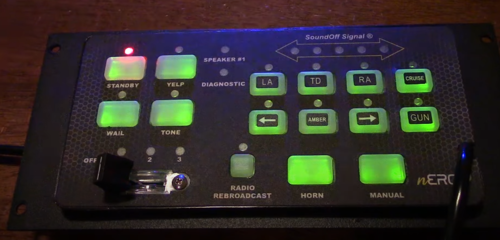
Found it, they use the 480k, this exact one uses the right tone. Here's a reference:
-
If I can completely remember, VSP uses the Motorola Spectra. Thats what they mostly use.