Skip to content
View in the app

A better way to browse. Learn more.

LCPDFR.com

A full-screen app on your home screen with push notifications, badges and more.

To install this app on iOS and iPadOS
  1. Tap the Share icon in Safari
  2. Scroll the menu and tap Add to Home Screen.
  3. Tap Add in the top-right corner.
To install this app on Android
  1. Tap the 3-dot menu (⋮) in the top-right corner of the browser.
  2. Tap Add to Home screen or Install app.
  3. Confirm by tapping Install.

louizy

Members
  • Joined

  • Last visited

Everything posted by louizy

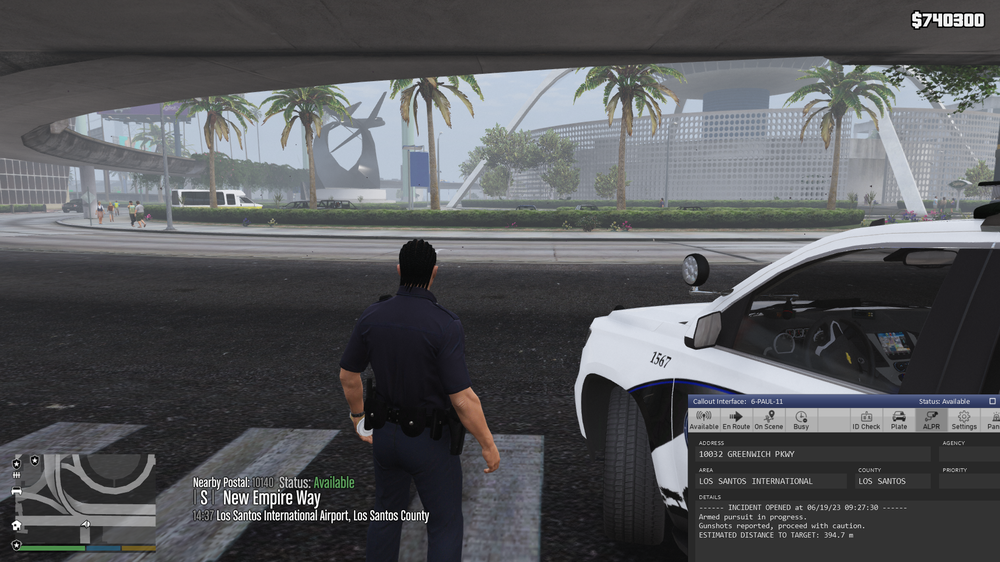
  1. WHY MY CALLOUT INTERFACE DIDNT CHANGE EVEN THOUGH I ALREADY COMPLETED THE CALLOUT AND MY STATUS IS AVAILBLE BUT I CAN'T ACCEPT ANOTHER CALLOUT BECAUSE IT DIDNT CHANGE AT ALL. PLEASE HELP ME FIGURE OUT. THANK YOU IN ADVANCE SIR/MAAM
  2. Is there have a key of microphone on police car? So that if i traffic stop the ped i will not go outside in the vehicle and i will not talk to the ped in front of his/her car. I hope you understand what I'm sayin thank you in advance. Email me if you have answer on my question (*****@*****.tld)
  3. why my lspdfr keep crashing i don't know how to do please email me? i want to play this game so bad. help me sir/mam. thank you in advance

Account

Navigation

Search

Search

Configure browser push notifications

Chrome (Android)
  1. Tap the lock icon next to the address bar.
  2. Tap Permissions → Notifications.
  3. Adjust your preference.
Chrome (Desktop)
  1. Click the padlock icon in the address bar.
  2. Select Site settings.
  3. Find Notifications and adjust your preference.