


Krober
Members
-
Joined
-
Last visited
Everything posted by Krober
-
 How do I change the values so I don't have the steady burn? Could you help me change that?
- 964 comments
- 158 reviews
-
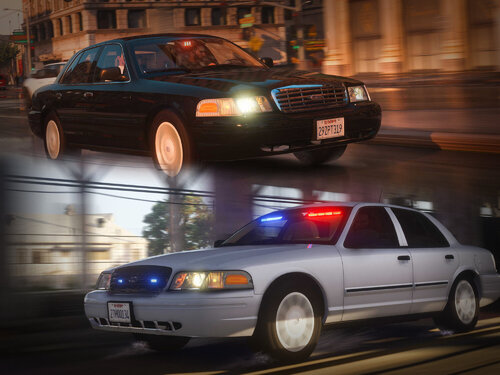 Awesome Pack 😍 Sadly I noticed two things ☹️ First my tail lights have each 7 red dots in a horizontal line. Is there any way to fix that? (picture included) Problem number two. The Coplite yellow/blue lights in the back flash red/blue 🫤 Does anybody know how to fix these issues? Thanks in advance 🙂🙏
- 53 comments
- 10 reviews
-
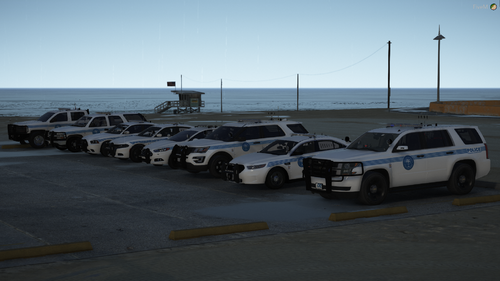 Hey, I'd like to get the pack but there is no link to which vehicles you used 😞 Do you think you could add that 🙂
 -
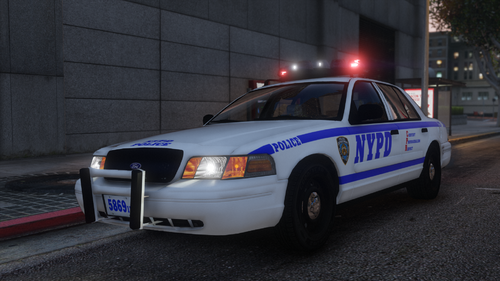 Hey, first of all, I love the pack. Looks great and is absolutely well done. My only problem are the lights. I can't get them to work properly. On some cars the lights work but not correctly, on others the lights don't work. And I can't seem to find the problem ;-; Maybe somebody else experienced this problem and is able to help me 🙏

