


Sweetmeats
Members
-
Joined
-
Last visited
Everything posted by Sweetmeats
-
.thumb.png.b9e18d9931090871b064059f2c315cf8.png) This did not work for me. I have the proper entry in the correct pathway, however everytime I try to enter the police station, I fall through the world.
This did not work for me. I have the proper entry in the correct pathway, however everytime I try to enter the police station, I fall through the world.- 670 comments
- 19 reviews
-
Hello! Very excited to use this mod. I did run into a problem however. When I attempt to enter the police station, myself and the other officers around me fell through the air and landed in some random parking lot lol. My map was then all weird with the symbols for things but roads and other geographic markers completely blacked out. I would appreciate your help with this. Thanks!
- 670 comments
- 19 reviews
-
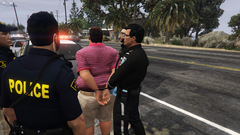 These look great. When are you anticipating releasing these?
 -
-
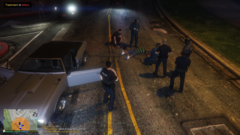 Accidentally shot a plainclothes who had a stolen at gunpoint and turned it to me. Oops.
 -
-
From the album: SweetMeats Patrols
-
WinRAR is just a file extractor tool. It unzips your files so that they can be used. If you just place zipped files into folders, you're going to run into problems. If you open WinRAR you will find all your downloads the same as if you open file explorer. I would suggest that you start over. Make sure you follow the instructions in the videos exactly. You also must have a legit copy of GTAV. I mostly use@BlueLine Vibes as he has a vast library of diverse and detailed tutorial videos. I recommend sticking to one YouTuber until you know what you're doing. I say this because they will likely go about things in a consistent way and that will ensure you are doing things in a consistent way. It is nearly impossible to help you here with such a broad problem. The only advice I have is to start from scratch, pick a YouTuber, and start from the beginning. Also, don't forget to show them love so they can continue to produce content for the community. Good luck.
-
@Lennyy thank you for your reply. I sincerely appreciate you helping me through this and providing additional recommendations. I will ensure I do not duplicate posts moving forward. You're a legend Lennyy!!!!
-
Please see attached .ini files for GP. Thanks again! GPcustom.txt GPdefault.txt
-
@Lennyy thank you for your continued support with this. I believe I re-installed grammar police and the issue persisted. I will verify that all lines are valid. Thanks again!
-
My apologies. Here is the latest RPH log. RagePluginHook3.log
-
You need to ensure that you are reading the "readme" files included with whatever mod you are trying to install. Do you have WinRar?
-
@Lennyy thank you for your help. I see you on the forums helping a lot of people. Unfortunately, I am now getting "unhandled exception in plugin command" that occurred in force duty as defined in Lspd first response plugin. This happens when I try to force duty.
-
Hello! I am hoping someone will be able to help me determine why my game is crashing when I try to load LSPDFR. I was playing earlier on today, then added Deadly Weapons and poof......crashing. I have since deleted it but it beeps like three times and then crashes when I try to load. I have attached my RPH log file. Thank you! -SM RagePluginHook.log
-
Hi all! I would really appreciate some support with why my game keeps crashing. Please see RPH log. Thank so much! RagePluginHook.log
-
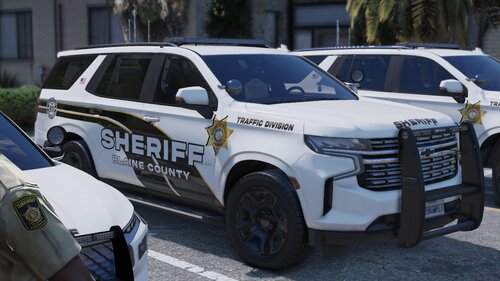 I like it a lot. The detail on the Taurus is really nice and the lights are awesome. Now if I could figure out how to stop cars from flipping and disappearing, I'd be set. Thanks for this!
.thumb.png.b9e18d9931090871b064059f2c315cf8.png)




