NotWorkingCode
Members
-
Joined
-
Last visited
Everything posted by NotWorkingCode
-
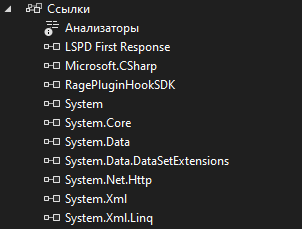
No. ChillCallouts works fine if I compile it without using my library. My Dependencies in screen. I will try to get more information using PDB and tracing.
-
Who exactly? The plugin itself works. My library uses only .NET Framework
-
I found a solution to my problem and wrote a small library to solve this problem. It allows you to output any message in any language that is supported by UTF-8 encoding. However, when using it, LSPDFR crashes with an error: System.IO.FileNotFoundException: "System.Private.CoreLib, Version=5.0.0.0, Culture=neutral, PublicKeyToken=7cec85d7bea7798e" I wrote the library on .NET Framework 4.7.2. In this case, the message is displayed. Full error log: What could be the reason for this behavior?
-
C# uses Unicode as the encoding. Unicode has full Cyrillic support
-
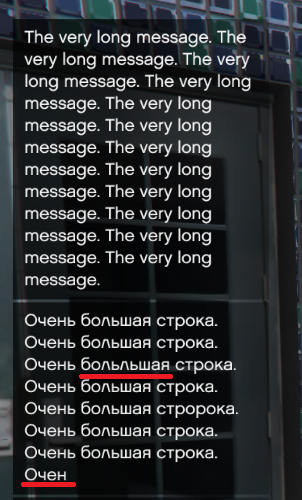
Good afternoon. I can't find the reason for this behavior in any way. There are no problems when trying to output the text in English. But if you try to output the symbols of the Russian language, then strange things happen. The string is cut off at the end and in some places characters that are not there may appear. Game.DisplayNotification("The very long message. The very long message. The very long message. The very long message. The very long message. The very long message. The very long message. The very long message. The very long message. The very long message. The very long message. The very long message."); Game.DisplayNotification("Очень большая строка. Очень большая строка. Очень большая строка. Очень большая строка. Очень большая строка. Очень большая строка. Очень большая строка. Очень большая строка. Очень большая строка. Очень большая строка. Очень большая строка. Очень большая строка.");