
DymaxSK
Members
-
Joined
-
Last visited
Everything posted by DymaxSK
-
That's interesting. I don't think this will be done in the very first versions, but that could easily be an idea for a future expansion. Thank you for the suggestion!
-
Thank you! Glad you liked it!
-
Thank you! I like it! That could be a nice addition to the mod. Currently, I'm focusing on the scenarios and the evaluation, but an advanced and structured progression system like that is something I'll consider for the future. Thanks for the suggestion!
-
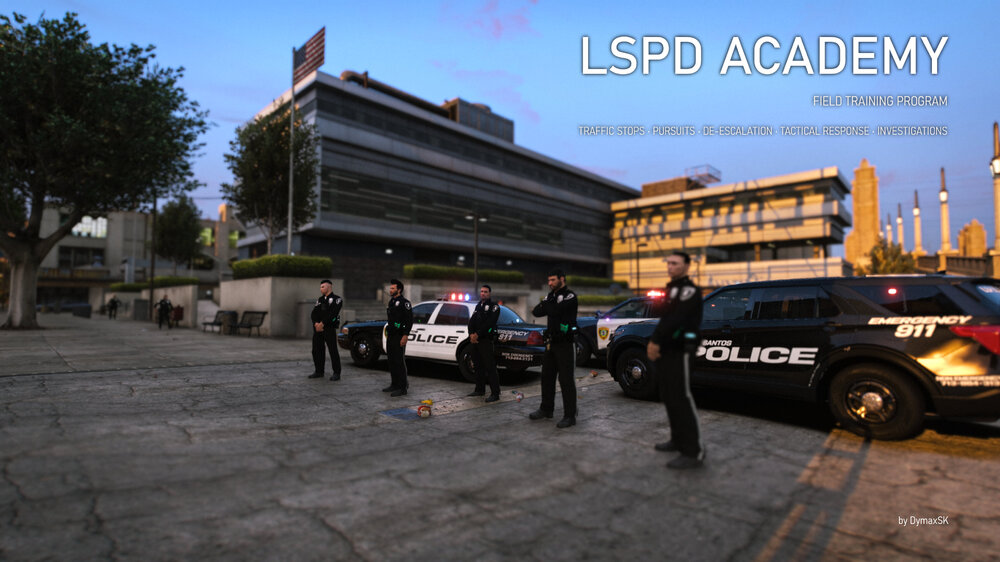
Hello everyone, I'm DymaxSK. I'm currently working on a new plugin called LSPD Academy. The idea behind it is very simple: being a police officer means making the right decisions and understanding the consequences of your actions. LSPD Academy brings these elements into GTA V through a series of interactive training scenarios, each focusing on a different aspect of law enforcement. You will be evaluated on how you approach each situation, with rules specific to each scenario and associated penalties. Even though the name is LSPD Academy, the mod will not be limited to the LSPD. Scenarios1. Routine Traffic StopPractice the basics of conducting a traffic stop, where procedure, observation, and decisions are important. 2. High Speed PursuitTake part in a vehicle pursuit and test your driving and tactical skills. Pursuit management and the appropriate use of intervention techniques, including PITs, are important parts of the training. 3. De-escalationNot every situation should be resolved with force. In this scenario, you will be handling a problematic person who threatens the safety of other people. 4. Active Shooter ResponseFace a high-risk tactical situation that requires awareness and careful decisions under pressure. 5. Simple Homicide InvestigationConduct an investigation with attention to crime scene procedures and the importance of preserving evidence. Beyond the ScenariosThe project also includes evaluation, customization, and player progression systems: Performance evaluation: every scenario has a minimum score you need to pass and a set of rules you must respect. Achievements and stats: earn achievements by completing challenges and track your career performance over time. Configurable settings: almost everything is customizable. Localization support: currently translated into English and Italian. Translations for other languages will be open for community contributions. Third-party support: other developers can easily create custom scenarios and integrate their own plugins. Development StatusLSPD Academy is currently in active development. There is currently no public download or confirmed release date. Features, scenarios, and other details may change before the first public release. Suggestions, ideas for future scenarios, and constructive feedback are always welcome. Thanks for reading!
-
It says there is an error when trying to load the model 0xa7ede74d, which is the Stanier car. Have you made any changes to the vehicles.meta file recently? If yes, try replacing it with the original copy and see if it works.
-
Now it seems to work, I don't know why. Thanks anyway!
-
I tried, but it says unsync character
-
I recently synced with LSPDFR in-game, but when I go to the website and check the activity tab, it says 'There are no results to show in this activity stream yet'. How can I fix this?
-
 I tested your callouts, and considering this is your first attempt, they're pretty good! Congrats!
- 82 comments
- 9 reviews