Skip to content
View in the app

A better way to browse. Learn more.

LCPDFR.com

A full-screen app on your home screen with push notifications, badges and more.

To install this app on iOS and iPadOS
  1. Tap the Share icon in Safari
  2. Scroll the menu and tap Add to Home Screen.
  3. Tap Add in the top-right corner.
To install this app on Android
  1. Tap the 3-dot menu (⋮) in the top-right corner of the browser.
  2. Tap Add to Home screen or Install app.
  3. Confirm by tapping Install.

LxLstrix

Members
  • Joined

  • Last visited

Everything posted by LxLstrix

  1. i did, i litterly did the exact same thing what was on the video i just cant get in the game i really wanna play it seems so fun but i just cant load in its just like this
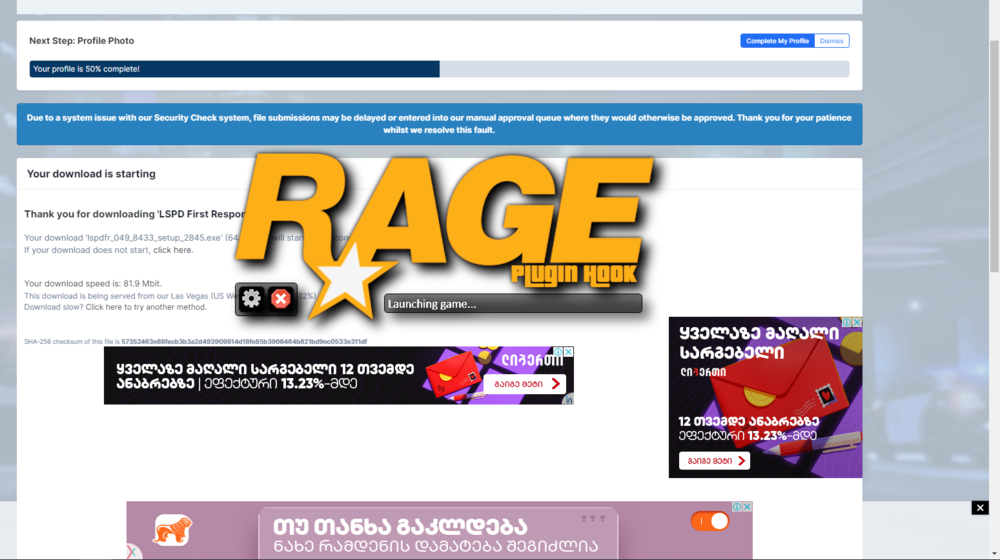
  2. so I watched the video of Benzo Effect and thought that I would download and play it but when I downloaded the lspdfr auto-installer and did everything that was in the video I tried to get in the game but Rage hook just doest load it says launching the game and that's it I waited like 20 minutes and nothing changed and I just want to know what's the problem and can I fix it or not?

Account

Navigation

Search

Search

Configure browser push notifications

Chrome (Android)
  1. Tap the lock icon next to the address bar.
  2. Tap Permissions → Notifications.
  3. Adjust your preference.
Chrome (Desktop)
  1. Click the padlock icon in the address bar.
  2. Select Site settings.
  3. Find Notifications and adjust your preference.