Sterimos
Members
-
Joined
-
Last visited
Everything posted by Sterimos
-
Today when I was trying to load up LSPDFR during the initial launch of the game, it seemed to crash and rage plugin hook states that it has," Slow system or insufficient permissions" I've tried redownloading LSPDFR but yet it still has the same issue.
-
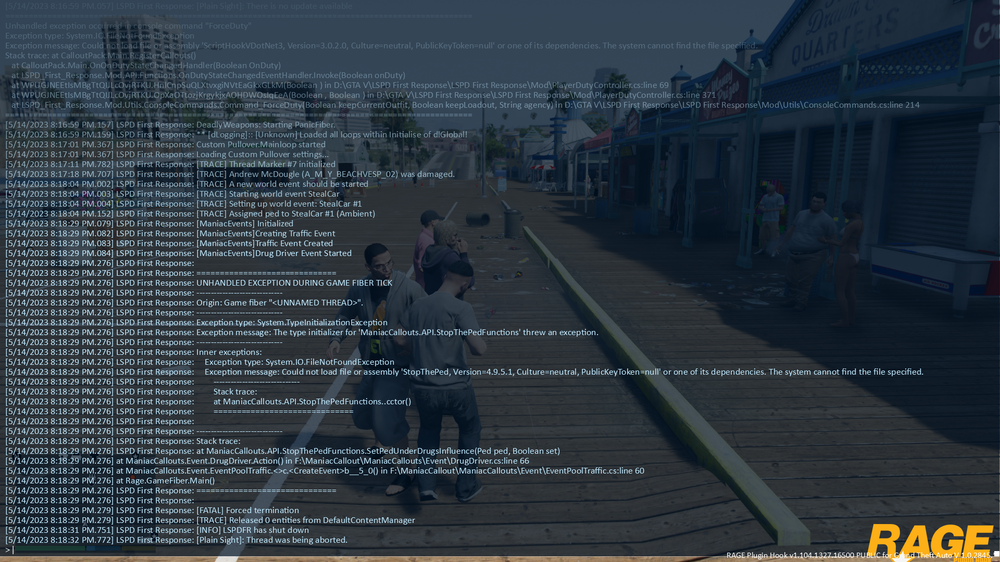
RagePluginHook.log sorry forgot to upload. ragepluginhook log is now in stop the ped is installed as well as ultimate backup so I have no idea as to why it is not registering and yes before anyone even asks scripthookvdotnet is installed to the newest version.
-
Every time all of a sudden, whenever I force duty I get the prompt from rage saying "Unhandled Exception in Console Command and an unhandled exception occurred in console command "forceduty" defined in plugin "LSPD First Response", this causes an issue with ultimate backup and stop the ped where they do not load and I'm not sure if any of the lspdfr plugins are working correctly. I've tried reinstalling lspdfr, stop the ped, and ultimate backup, I've also tried to reinstall scriphookvdotnet and that did not work, is there anything else I can try?