


NorthValleyExplorer
Members
-
Joined
-
Last visited
Everything posted by NorthValleyExplorer
-
Real quick, I have put the objects.ini file into my main directory. However, when I load the objects in game from my trainer I am teleported onto a roof top in Acter/Industrial Parks. The game says 499 objects loaded but nothing happens. Does anyone know what the problem is?
-
Just wondering what department everyone likes to patrol with
-
-
Surely there has to be other Police Explorers out there. Hello from Phoenix, Arizona! Explorers Post #2013
-
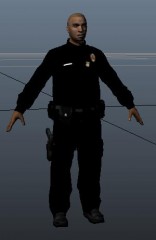 Looks great. I like the thigh holster for a change. Add a wired radio and everything will be peachy!
 -
Ill try that, thanks!
-
I had requested for Chippy to create a Phoenix Police Department pack for myself and the LCPDFR Community to use. Don't get me wrong, the cars are god damn amazing. However, the Tahoe still flips on sharp turns with every handling line I put in. Does anyone have a handling line that keeps the polpatriot to the road? Many thanks ahead of time!
-
-
-
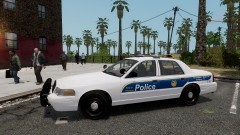 Thank you Buggs! I have been looking for one for such a long time!
 -
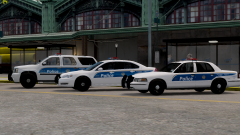 Gotta love Chippy! (No homo)
 -
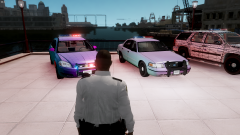 Hell yea! Looking good. Thanks for doing this
 -
I am having one made for me. I could possibly give them to you as well. I am having the Crown vic, Impala, and the Tahoe Phoenix PD Models and Skins made. Glad to see someone else is from Phoenix


