



thetwward
Members
-
Joined
-
Last visited
Everything posted by thetwward
-
@UnknownBastion confirming that this solution worked. Thank you!
-
@UnknownBastion you are amazing, THANK YOU!
-
Can someone help me understand why RagePlugin keeps crashing? RagePluginHook-1.log
-
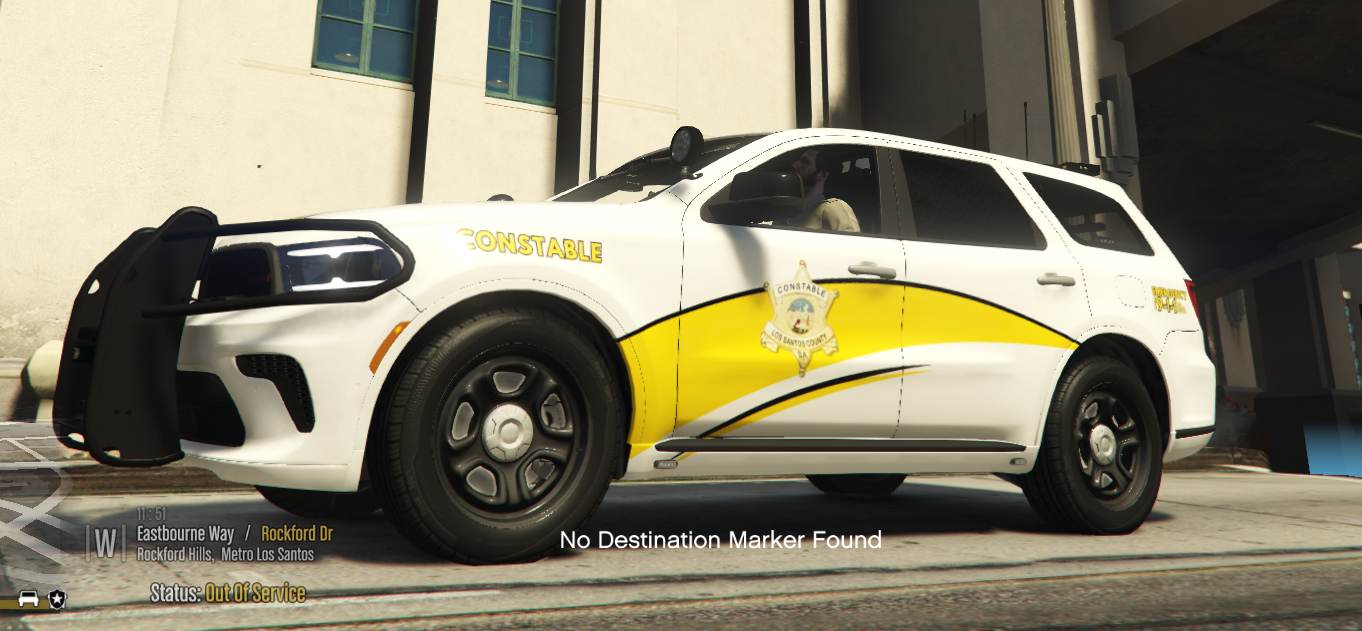
 This mini pack contains 2021 Durango liveries for the following areas: Los Santos County Constable Blaine County Constable Paleto Bay Grapeseed Sandy Shores Notes: Each texture file is numbered for ease of dragging and dropping in the .ytd file of this vehicle. Simply replace the number at the end of the file name in the texture pack to align correctly or they will not populate for selection. Please make sure that you do not skip numbers when installing. Example don't use 21dur_sign_1 and 21dur_sign_5 without renaming the second file from 5 to 2. Make sure to save the original vehicle file from Emergency Distributors in case you need to start over. You will need to update the vehicles meta file to include the following flag: FLAG_HAS_LIVERY This textures were created based on the vehicle file created below by Emergency Distributors: These textures are just some fun I have creating to help make the game more fun for myself. I just want to share with you all so you can enjoy them too.
 -
 Arkansas Division of Emergency Management Provides efficient state level leadership, resources and coordination for a comprehensive all-hazards approach to emergencies and disasters impacting Arkansas. Due to the rural nature of Arkansas, most state vehicles of this nature tend to be crew cab pickup trucks or SUV's. I was only able to find images of the new Silverado when researching for this texture creation. Notes: This texture pack serves to replace the existing texture in the vehicle pack below. This texture pack contains the real world and lore friendly versions. You will have to set the vehicle color to white in the trainer menu, despite the texture having the white background. You will have to update the vehicle file to contain FLAG_HAS_LIVERY for multiple textures to be used. Side note, I could not figure out how to get the multiple liveries to populate, you might have better luck. The vehicle pack, that this texture was created for, was created by Emergency Distributors. You can download it below:
 -
-
 Enjoy this lore friendly version vehicle texture inspired by the Arkansas Highway Police. The Arkansas Highway Police is a highway police unit of the state of Arkansas. It primarily enforce rules and regulations of the Arkansas Department of Transportation (formerly the Arkansas Highway and Transportation Department). Its other responsibilities are Motor Carrier Enforcement, Traffic Control, Hazardous Material enforcement, and drug interdiction. It is the second-largest state law enforcement agency in Arkansas after the Arkansas State Police. It was founded in 1929 and is the oldest law enforcement agency in Arkansas. This file is already named to replace the existing livery in the vehicle package. You will need to back up or save the original vehicle download from Emergency Distributors. To download the 2022-23 Chevy Tahoe this livery was based on you can download it below:
 -
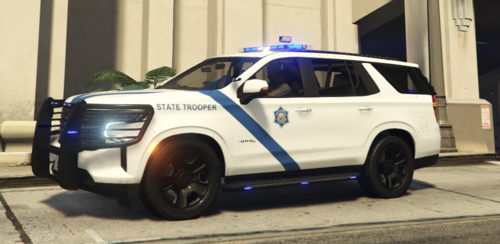 Enjoy this lore friendly version vehicle texture inspired by the Arkansas State Police. This file is already named to replace the existing livery in the vehicle package. You will need to back up or save the original vehicle download from Emergency Distributors. You will have to choose your vehicles color using the trainer. To download the 2022-23 Chevy Tahoe this livery was based on you can download it below:
 -
 Love the vehicle. I wish the top speed was a bit higher though.
 -
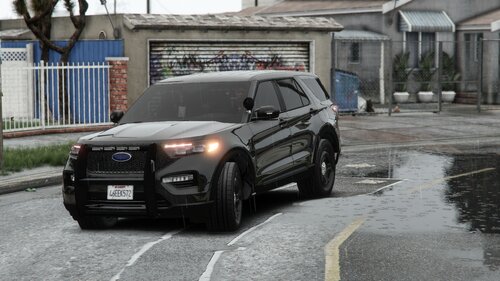
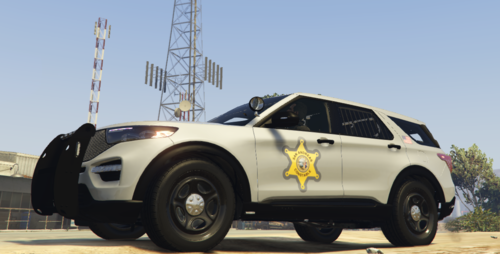 This vehicle texture pack contains the livery for the 2021 FPIU Unmarked Stealth Traffic Explorer model created by EmergencyDistributors. Please note that you will have to update the vehicles.meta file to include 'FLAG_HAS_LIVERY' in the flag section of the vehicle file. The PNG file in the main folder contains the Arkansas Constable livery and the Lore Friendly is in its own folder within the zip file. Visit the link below to download the vehicle model that this texture was based on:
 -
Here is the latest log from today. It now crashes when I go on duty. I had to reinstall GTAV to get this far. RagePluginHook.log
-
RagePluginHook.log
-
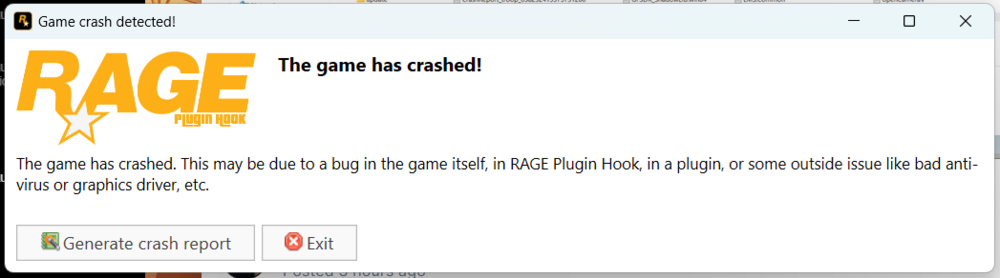
I just updated LSPDFR to the newest version and the GTA file to the newest version. This is the error I get when trying to launch the game. Can someone help me understand why the game will not launch?
-
I have a crash report, but I am not sure how to upload it here in its existing format.
-
Hi Everyone, I have scoured the forums here and attempted some of the resolutions found, such as setting the render all models to false and removing outdated mods. Here are three problems I am running into. I have noticed that when I go to the police garage I cant select police models 2, 3, or 4 under LSPD. When I switch to LSSD and back again, it shows up for me to select the different models. I lose textures often when driving around, responding to calls, etc. Not just resolution, but total building and ground models disappearing. I will often get a crash notification when in an active pursuit with only one back up officer and or heli. The subject I am chasing will glitch and duplicate. Any help would be appreciated!
