


EliteReaper01
Members
-
Joined
-
Last visited
Everything posted by EliteReaper01
-
I fixed the crashing. but vehicles still arent showing up even trying all the patch days. the vehicle model shows up in the patch day folder but not in game, any ideas?
-
heres one that will help RagePluginHook.log
-
here is another one, I tried that patchday again and it still wont load RagePluginHook_09052026_065213.log
-
I installed updated versions of xscanner, lspdfr enhanced, and vocal dispatch but it crashes now when I console command "force duty" files are attached, also I cant seem to get my replace vehicles to load in game. when I load them its just the base police cars, Ive tried almost every patch day RagePluginHook.log
-
Ill be just arriving to a call and then my game crashes, or randomly. here is the crashlog RagePluginHook.log
-
I can use all my guns in first person but when I go to third person there is no animation and I cant shoot please help
-
so basically the guns are in my inventory and when I equip them they don't show up but when I walk my character starts aiming but there's no gun and I cant shoot or punch anything
-
-
it loaded but now lspdfr.dll keeps crashing
-
heres the report
-
Heres the latest log
-
Heres my recent crash log
-
can anyone tell whats wrong?
-
only the plugin crashes
-
my game just freezes when i load them now and says LSPD First Response.dll cash crashed also it doesnt freeze anymoremy game just freezes when i load them nowthis is where my RAGEnativeUI is installed
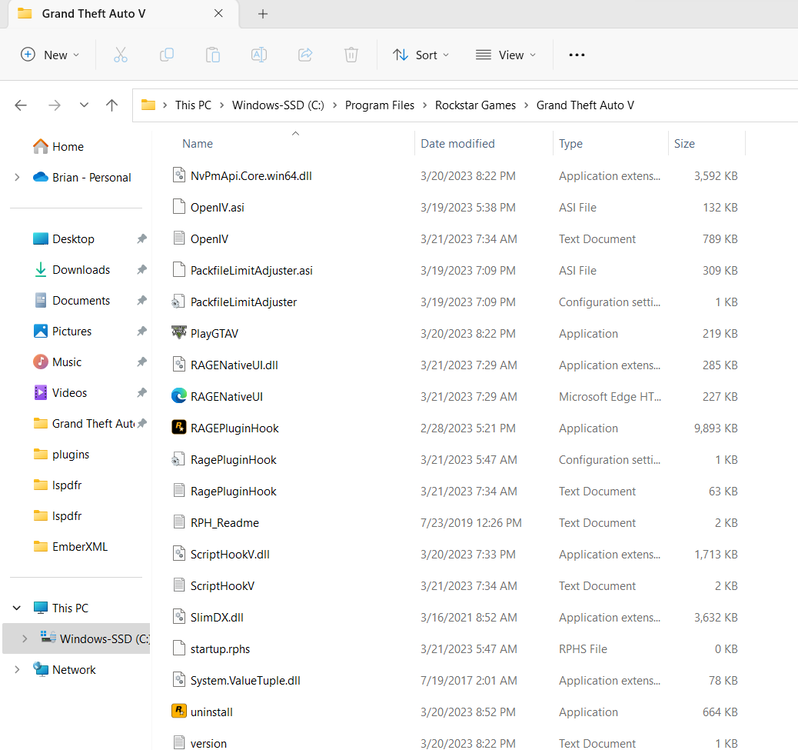 same thing happend-LSPD first respond.dll keeps crashing

