Kali Neko
Members
-
Joined
-
Last visited
Everything posted by Kali Neko
-
 I thought it's not too, but it says on their page that New Zealand is supported. Google is weird sometimes. Likely wouldn't work well anyways tbh, AI always has issues understanding the New Zealand accent in my experience.
- 253 comments
- 7 reviews
-
I'm trying to get a Gemini API key for this, but it keeps redirecting me to the google gemini AI documents page? I'm in New Zealand, a supported region. https://ai.google.dev/gemini-api/docs/available-regions
- 253 comments
- 7 reviews
-
 Why the lore tag when it isn't Lore Friendly?
 -
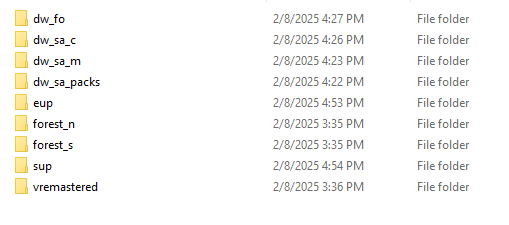
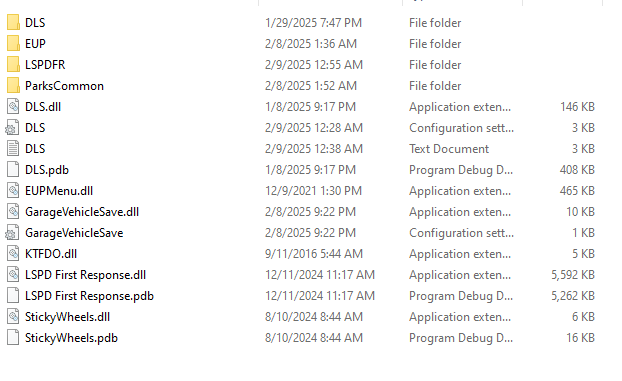
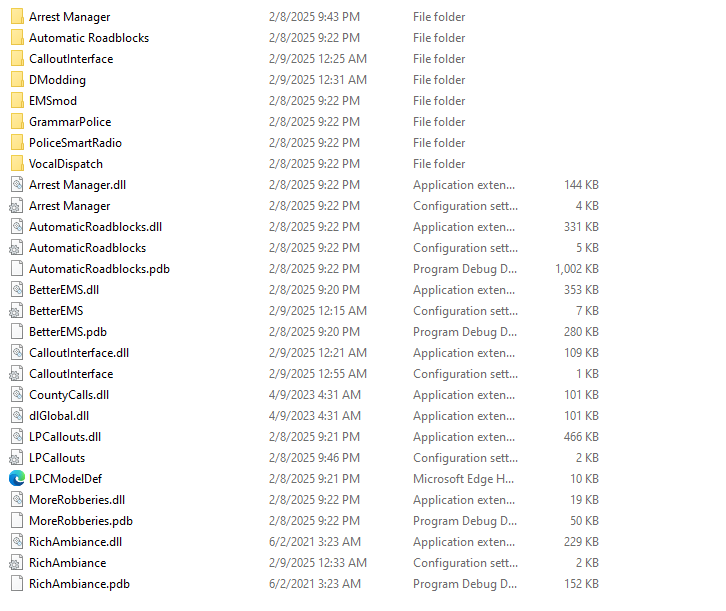
So my GTA V is crashing unexpectedly, with the exit code "Exit code 0xc000013a indicates a fatal game exit (reason: Unknown Error Code))" Below I have attached the launcher.log file Originally it was possibly LML causing the issue after research, but after removing LML, the error code changed. The previous exit code was " Exit code 0xc0000005 indicates a fatal game exit (reason: STATUS_ACCESS_VIOLATION)" In the screenshots are all the DLC mods I have, including RPH plugins and LSPDFR plugins launcher.log After doing some stuff, I figured out the issue. For some reason, RPH changed a setting on it's own to disable all plugins, causing GTA V to crash upon launch.