Billnyeog94
Members
-
Joined
-
Last visited
Everything posted by Billnyeog94
-
Thank you very much thats all i needed to know.
-
good evening all, i have a question and cant seem to find anything online so 6-14 a folder was created called modstore and it is 71GB taking up a ton of space it seems to be seperate from everything else and hasnt been modified in 2 months does anyone know if it is something i can remove?
-
-
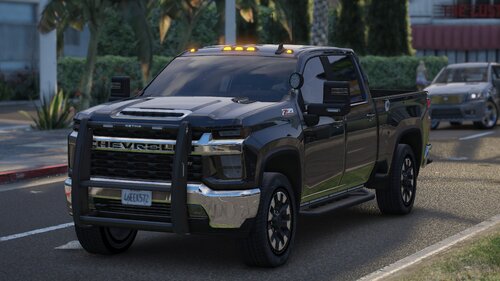 very nice truck, the lights are very well placed and its not too flashy. one of the only 2 trucks i actually keep in my fleet.
 -
 Great if you are like me and want to switch it up a little, great attention to detail being a chevy guy myself i appreciate the diffrent vehicles you put out.
 -
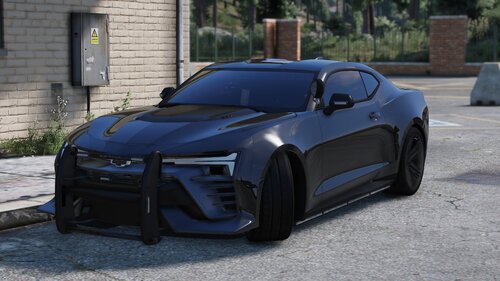 Beautiful car as always, great job
 -
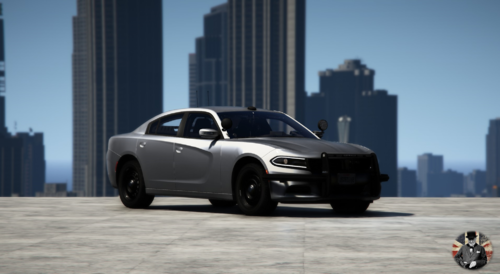 Amazing car, the tail lights are actually realistic, great job
 -
Awsome, Thank you for letting me know, Good luck on your callouts and have a nice evening.
-
Hopefully someone is able to give us some insight on how its done im going to continue doing some research, If i figure anything out i will be sure to let you know.
-
Use the app Notepad++ and go into your RagePluginHook.log and see if it gives you any more insight if not you can upload your log for someone to take a look at.
-
I was actually wondering the same thing, I was doing some searching online but couldnt understand the first steps of what is needed.