




ETHB
Members
-
Joined
-
Last visited
Everything posted by ETHB
-
I've installed a few other packs, and I'm not crashing anymore. Including some packs that did crash me previously on their own. I don't know what is/was wrong. But the issue appears to have dissolved into the ether. I appreciate your time in this matter regardless. I'll mark this solved and in the event something breaks again, I'll retry what we've done so far.
-
Alright. I did something a bit different. I added a pack called gasheriff_bcso, an addon pack I downloaded quite some time ago with sheriff cars that had a particular livery. They work fine. So I'm assuming that these other car packs I have are just so outdated they cause crashes? I'm more confused.
-
I have. I've discovered no difference in outcome so far. Any pack that consists of addon cars causes me to crash. However, if you'd like, I could try using an addon that you might recommend and see if I am given a different result?
-
I converted the dlclist to a txt file as attempting to screenshot the xml requires multiple screenshots. I can't compress the text to get the entire list to fit into one, so I figured a txt file works better. No, the dlclist in my data folder is not a txt file. It's an xml.
-
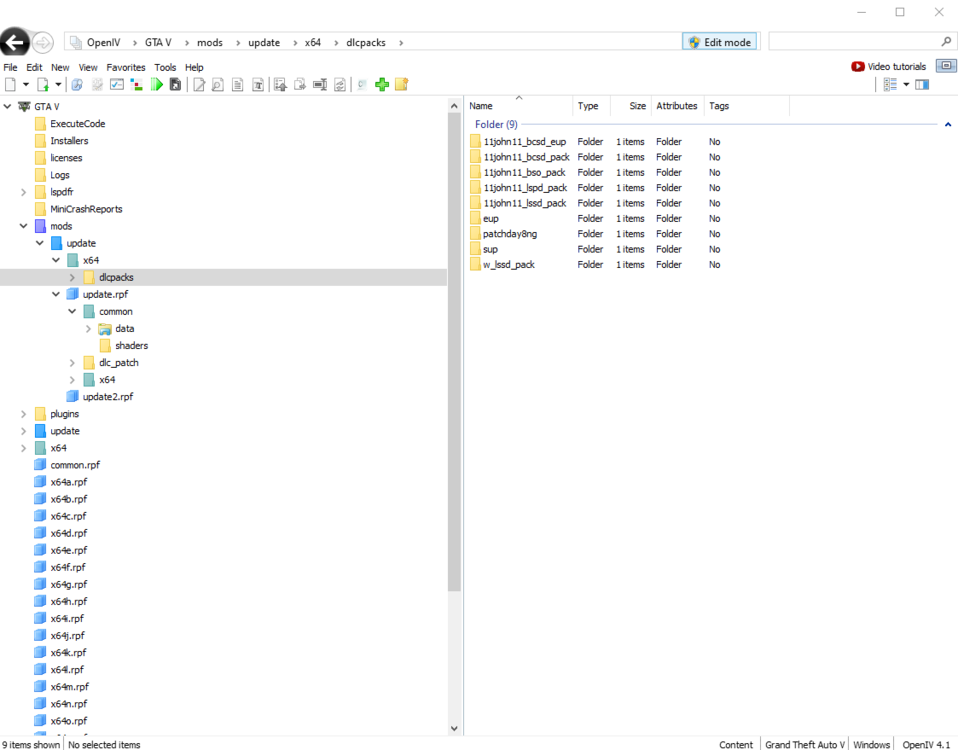
Of course. The Addons are in ...\Grand Theft Auto V\mods\update\x64\dlcpacks And my dlclist is provided below. It's location is ...\Grand Theft Auto V\mods\update\update.rpf\common\data dlclist.txt
-
Currently, it is installed to: ...\Grand Theft Auto V\mods\update\update.rpf\common\data I deleted the old gameconfig.xml (which is also the newest updated) and replaced it a fifth time with the one you suggested. Curiously enough, I was further along in the loading screen before I crashed. Alas, I still crashed. RPH Log is attached. Nothing particularly new in here to glean information off of. RagePluginHook.log
-
Hi there, The issue I've encountered currently is that whenever I add any addon dlc.rpf to my dlclist and launch my game, it's an instant CTD. I reinstalled GTA V Clean. I reinstalled LSPDFR. I reinstalled Gameconfig.xml v.1.0.2802 (I've been told that the newest GTA version doesnt need a gameconfig update. But I'm not sure...) I reinstalled Packfile Limit Adjuster. I reinstalled Heap Limit Adjuster. I reinstalled EUPMenu. The game runs fine with all the above active. However, with ANY addon car pack, when it's added to my dlclist.xml, the game crashes while loading. Whether it be in RPH or vanilla. I haven't been able to discover exactly why this crash is occurring, and I'm unable to glean anything from my RPH log. Feel free to peruse the attached log. Any help in this is appreciated. RagePluginHook.log

