h.wong
Members
-
Joined
-
Last visited
Everything posted by h.wong
-
Deleted all plugins, started new LSPDFR, and reinstalled all up-to-date plugins solved this for me as I couldn't find config files of the problematic plugins (high priority and dangerous callouts). Thanks a lot for your help!
-
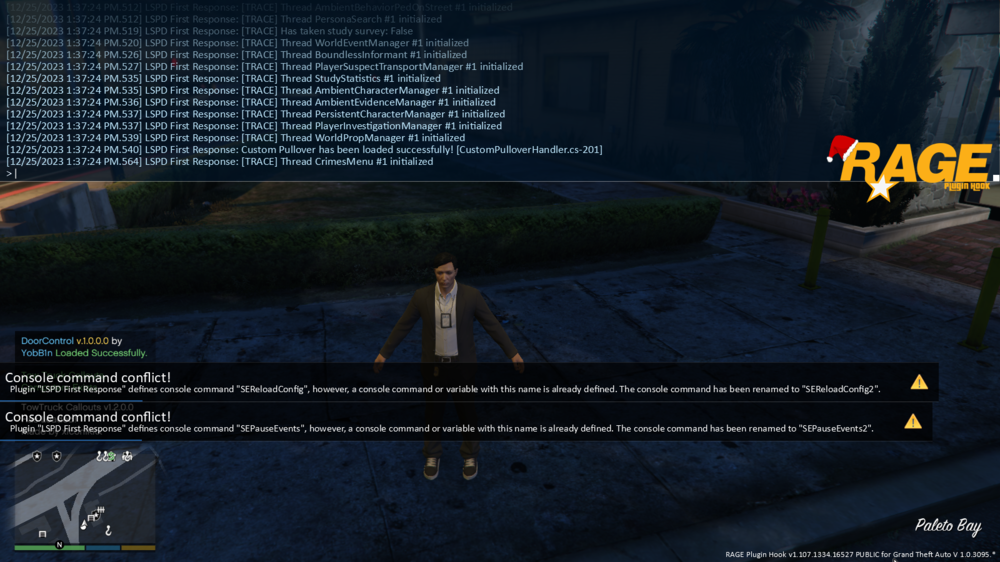
Hello, I've searched for 2 days the forum for similar problem like mine, but found no solution. When I go on duty via console ForceDuty, LSPDFR crashed and showed SEReloadConfig and SEPauseEvents. I thought something was wrong with the Section136Callouts since these conflict popups (see screenshot) right after "resetting" the Section136Callouts. Previously, a text of Section136Callouts popped and showed a text along the line of "thank you for updated Section136Callouts to latest version, but have not resetting the ??? Hit Enter to reset and I hit enter, then these warning pops up and LSPDFR crashed (I didn't screenshot the "thank you" text as I thought nothing wrong would happen). I've attached the ragepluginhook log. I almost give up but I love playing LSPDFR, so please help. Thank you 🥹 RagePluginHook.log