


Snuffy7
Members
-
Joined
-
Last visited
Everything posted by Snuffy7
-
When I get into my game, load my plugins and go on duty, when I press right alt to radio with Grammar Police the game will stutter for a second and then I will no longer be able to hear most the game audio. When it breaks, I can only hear sound effects from Grammar Police and other plugins, as well as the radio scanner chatter in police cars. I get the same audio break with ELS (sirens, horn, beeps when activating the lights, etc.) What would cause this break, or rather where should I start to figure out the root of the problem? My game, RPH, and ScriptHookV are all up-to-date.
-
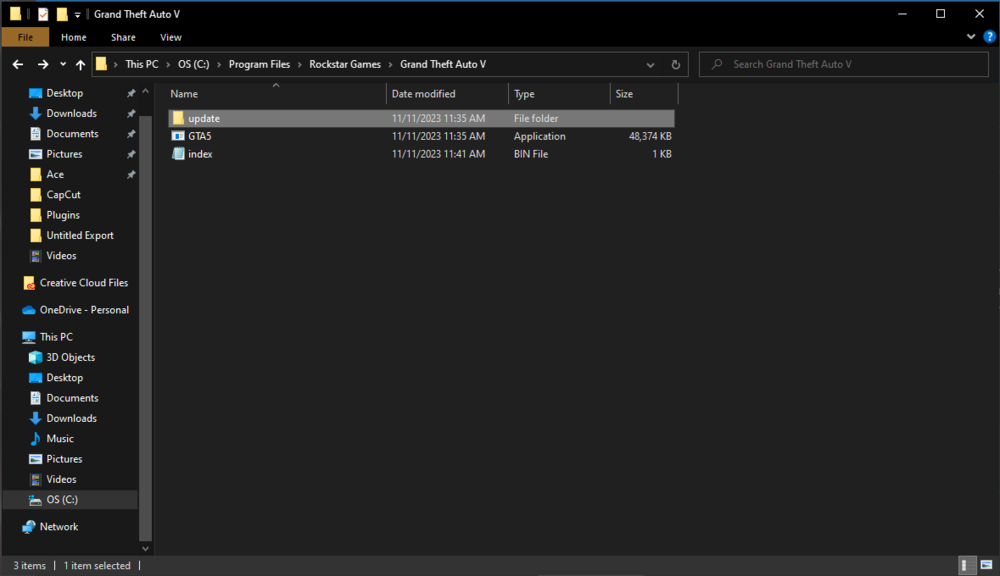
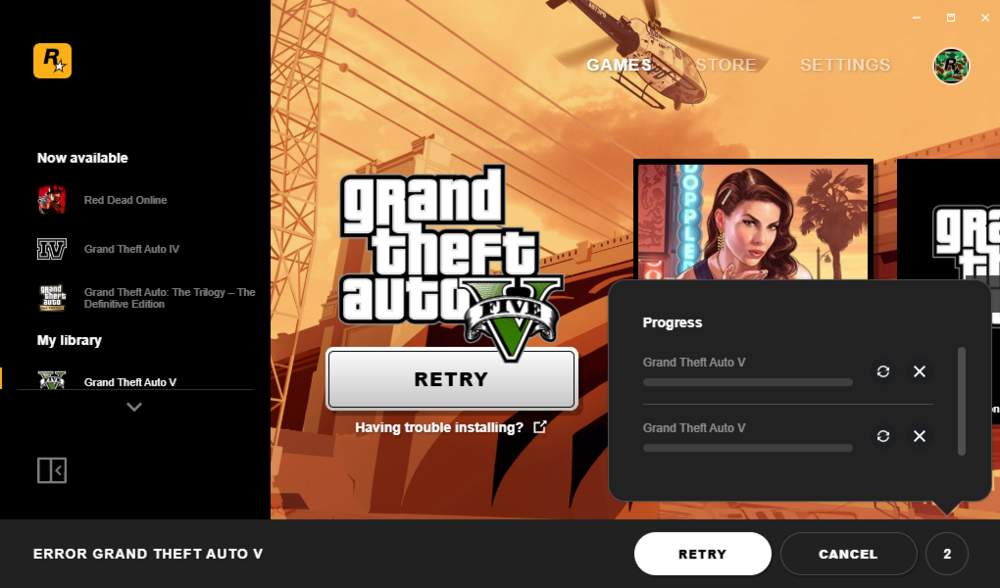
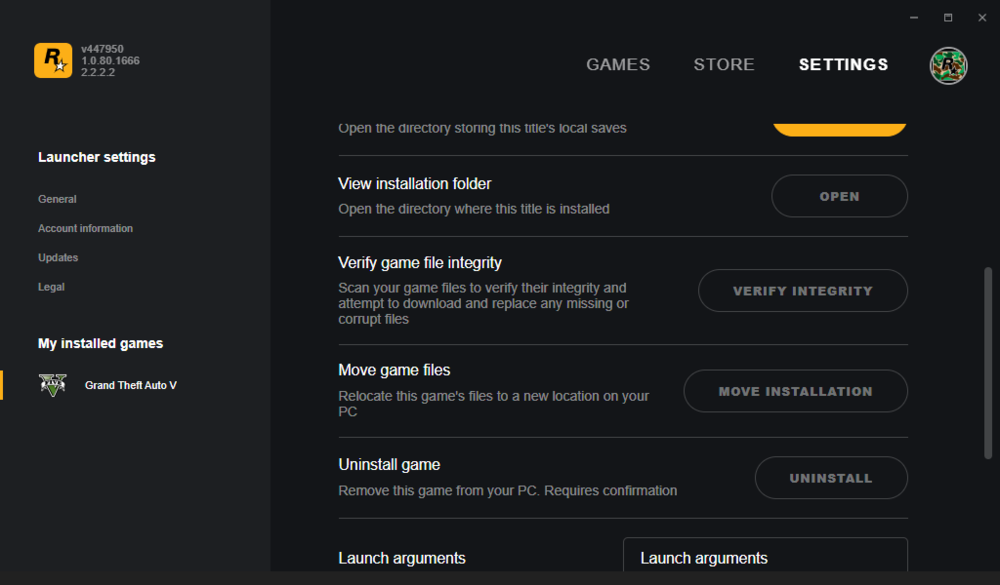
I installed the game last night and put all my mods back in. I downgraded my game version cause I was too lazy to install the new RPH, but the RS launcher didn't let me play the downgraded version, so it updated. I took all my mods out of the folder before I started the update to ensure that they wouldn't be deleted or corrupted. When the update completed, I noticed that the desktop shortcut was gone, so I went to the main directory and just about everything is missing. The files weren't deleted, I know this because if they were I would have around 160gb of free space, while currently I only have around 40gb. Where would it have put the files? I have never had this happen before and I am confused. I can't cancel the download attempts, nor can I verify or uninstall the game.

-
I found out that it was an ELS VCF file that was conflicting with ScriptHookV causing it to terminate my game.
-
After launching my game and letting it load for about 30 seconds, the game will close itself. I don't believe it's a crash, as when it happens I am not given the RPH crash prompt. I've tried launching it with RPH and have played around with the RPH settings with no success, and launching without RPH gives the same results. I have disabled my mods folder and have removed most of my plugins. I did install two replacement vehicles as well as EMS Callouts before this started happening, but I'm not 100% sure if they would cause this problem.
-
I tracked down my problem to the update folder in my mods folder. For some reason in mods/update/x64/dlcpacks, packday25ng (where I put all my replacement police models) had the contents completely wiped, it was just a folder with nothing in it. Fix: Navigate to GTA 5/mods/update Delete x64 & update.rpf from update folder Navigate to GTA 5/update and copy the vanilla versions of x64 & update.rpf to mods folder Load into game completely then exit Replace any modded car & gun models in x64 & update.rpf Game should be fixed and back to normal
-
I had the same popup, you can allow it in your antivirus. It's safe.
-
Update: I have the same problem when launching the vanilla game trough the Rockstar launcher instead of RPH.
-
I will list everything I did in order before and after the crash: Installed More Radio Chatter Installed Realistic Vehicle Dynamics Enabled Fog Volumes & Particle Shadows in RPH game settings (Modifies the command line) Launched game and it crashed about 30 seconds after launching. I slowly reverted everything I had done. Reset my RPH settings (Plugins loaded at launch were not changed) Removed More Radio Chatter Replaced Realistic Vehicle Dynamics meta file with vanilla meta file Launched game and it still crashes exactly the same at roughly the same time My most recent RPH crash report: My anti-virus has my GTA and RPH excluded as it was being flagged just a few days ago. I've launched the game both "Safe Mode" and "Verify Game Installation" modes with no success. Not sure what to do now.
-
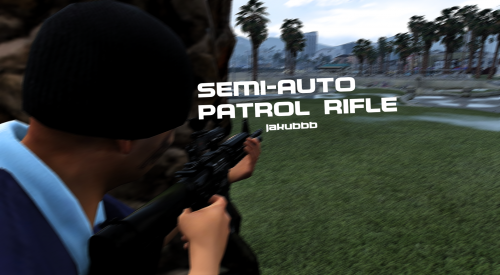 It works, definitely makes the rifle semi-auto only. My only complaint is that the fire rate is very low.
- 15 comments
- 2 reviews
-
As the title says, my emergency lights for all ELS vehicles (haven't tried non-ELS) are completely disabled and cannot be turned on. Everything was working perfect prior to the most recent GTA Online update. I downloaded and installed the newest versions of LSPDFR and RPH, loaded into game, tried to turn on the emergency lights with all the keybinds I know (J, E, K, etc) and they all did nothing. When pressing E, not even the horn sounded, and the ELS menu did not open with CTRL + P. All my ELS files seem to be untouched from the update, so I'm not sure what's causing this.
-
A couple months ago I installed the Retro Emergency Vehicles (REV) mod and installed the 90's variant. Soon after I deleted the game, and only just recently installed the game again. With the fresh install, all my mods were still installed and everything worked flawlessly, (as I didn't remove any mods or folders from my GTA 5 main directory) until I removed the DLC pack that contained all the cars as well as the DLC line text that gets the DLC pack to be recognized. After doing so, every police car (haven't checked for sheriff yet) except for PoliceT are not able to be spawned (typing Spawn Police, Police2, etc fails to bring any results in the Rage F4 menu), and my LSPDFR crashes when I go on duty. All the emergency vehicle models and textures that I installed prior to REV are still in my game files, so I'm not sure what changed to make the game no longer recognize them. I followed the PDF instructions exactly and had zero problem installing REV. Thanks. Links: https://www.youtube.com/watch?v=aj7aVgLQhhE
-
The lightbar UI does not open, and there is no .log file to be found. I've reinstalled ELS a couple times with no success.As stated, my ELS only properly works on vanilla cars. On any modded cars, the lights do not flash at all, whereas on vanilla cars the lights flash and have pattern. I have installed the ELS files that I got with the modded vehicles into my ELS folder.if you launch RPH and it doesn't automatically "hook" into the game, aka launch it and embed itself into the game, then that's your problem. I would reinstall RPH just to make sure that you didn't accidentally delete any important files. If it still doesn't work, try launching RPH as administrator. For some reason, my RPH will ONLY open and play if I use admin perms.
 Is it installed in the correct spot? The only reason I would think it would do that is because it isn't attaching to the game.I copied update and update2 from my update folder into my mods update folder like multiple youtube videos said to do, and now I get this crash. report2.txtUpdated my RPH to the newest version, but it just loads in the slideshow screen forever. I tried renaming mods to _mods, but that just makes the game crash after about 15 seconds of loading. report.txtLaunch RPH, then launch your regular GTA 5. This happened when I first got RPH and that fixed it.Is there a version of RPH for game version 1.0.2845.0? I downloaded the most recent version of LSPDFR for my fresh install of the game, but when I launch it, it says unknown game version.
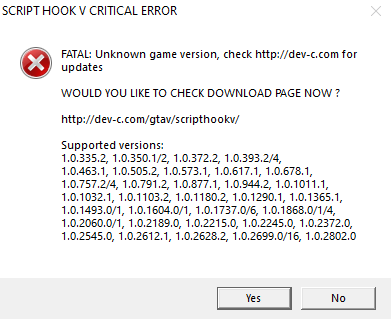 Ever since the new update, my GTA won't start. I launch RPH, it launches the Rockstar launcher, the game tries to start and says loading, then after a few seconds says quitting. I have updated both my game and my LSPDFR to the most recent versions. Also on a side note, since this update came out I also cannot make a copy of my GTA, once I hit paste it starts the copying process then completely bricks my PC. I have never had either of these problems before, so I'm quite confused.After installing the Law & Order EUP mod, my game was completely destroyed. I have now gotten it to the point to where I can load in and enter a police station, but instead of loading the interior, it just puts me under the map. I go on duty and then select a character, after doing so LSPDFR then crashes. I have only vehicles and whatever crappy messed up peds that mod gave me, I have removed all plugins except for those required by LSPDFR. RagePluginHook_24012023_044940.logUpdate: Nothing about the peds change when I remove my mods folderRecently I installed a mod that was supposed to allow me to change into uniforms such as the BCSO, but all it did was mess up all my peds. I uninstalled and reinstalled my GTA 5 and LSPDFR as my backup corrupted, and once I got LSPDFR installed the peds broke again. I've tried multiple "fixes" I've found around this website and Reddit to no success. The peds look random, like wearing combinations of GTA Online clothes, sometimes missing arms or legs. Anything helps, thanks.


