
flancing
Members
-
Joined
-
Last visited
Everything posted by flancing
-
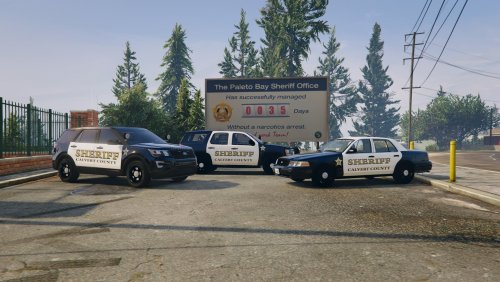 I personally like vehicle models first, but this is a perfect one. There are newer liveries for Calvert now, they even got retro ones, but this is PERFECT for if you live in Calvert or Maryland in general. Highly recommend. PS. Maybe make the San Andreas/Blaine County livery have a San Andreas State icon or something?
 -
I'm no expert but this sounds like a federal signal brand PA300. Either that or something else on the federal signal market.
-
-
This didnt work. I replaced the new patchday25 with the older one, however this did nothing as it.. still was not loading GTA 5. I looked at the original and there are a few files theres that arent in the original, and when I click show in mods folder, you can guess what happened. After that I decided to last resort and drag and drop, and it started working. Thank's for the inspiration on this, nearly thought I was never gonna have GTA again.
-
After I installed a dlc.rpf, most of the files in Patchday25 were gone except for vehicles.rpf and a data file, I do not know how to fix this. Shall I re-install GTA 5 itself? Drag other files into the missing ones? After this the launcher stopped always after "Populating Game World". Thank you, flancing.