FolTakX
Members
-
Joined
-
Last visited
Everything posted by FolTakX
-
I reverted the game version of GTA because on the first day when when a new update was out I wanted to play the game so I reverted it but that's when it started crashing since I added more mods and yeah lol. I was trying to figure out the problem thats why it took like 1 month for my small brain to go to the forums. I'll update later (I didn't update my plugins on porpuse because if the plugins were made for the new gta version, it wouldn't work with the old version I have) Also how do I get a .txt file of the full log?
-
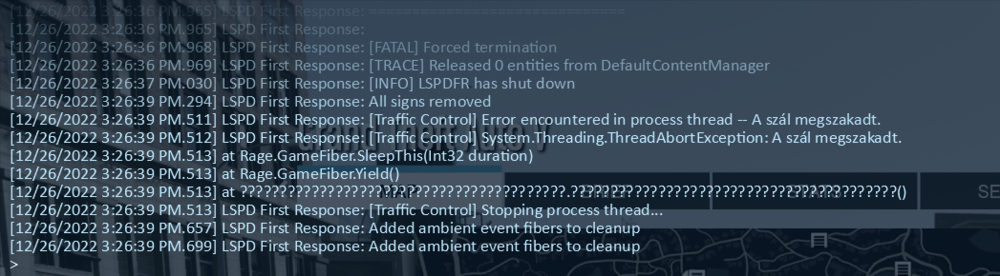
Hello I am new to LSPDFR and I am still on the build 2699 version of gta 5 (yes I reverted the update and no I did not update my plugins so that's not the probelm) but I have a problem, my game keeps crashing a few minutes after I go on duty. Here is my log of the crash