Skip to content
View in the app

A better way to browse. Learn more.

LCPDFR.com

A full-screen app on your home screen with push notifications, badges and more.

To install this app on iOS and iPadOS
  1. Tap the Share icon in Safari
  2. Scroll the menu and tap Add to Home Screen.
  3. Tap Add in the top-right corner.
To install this app on Android
  1. Tap the 3-dot menu (⋮) in the top-right corner of the browser.
  2. Tap Add to Home screen or Install app.
  3. Confirm by tapping Install.

agentk89

Members
  • Joined

  • Last visited

Everything posted by agentk89

  1. well i started going through all my cars to see if it was all of them. But it only occurred with the ones happened to be dlc cars that I added in. I have changed the agency xml in lspdfr and the xml file for ultimate back up for all the cars. so what am I missing here? any ideas would help thanks
  2. try removing the maniac callout plugin and see if that helps
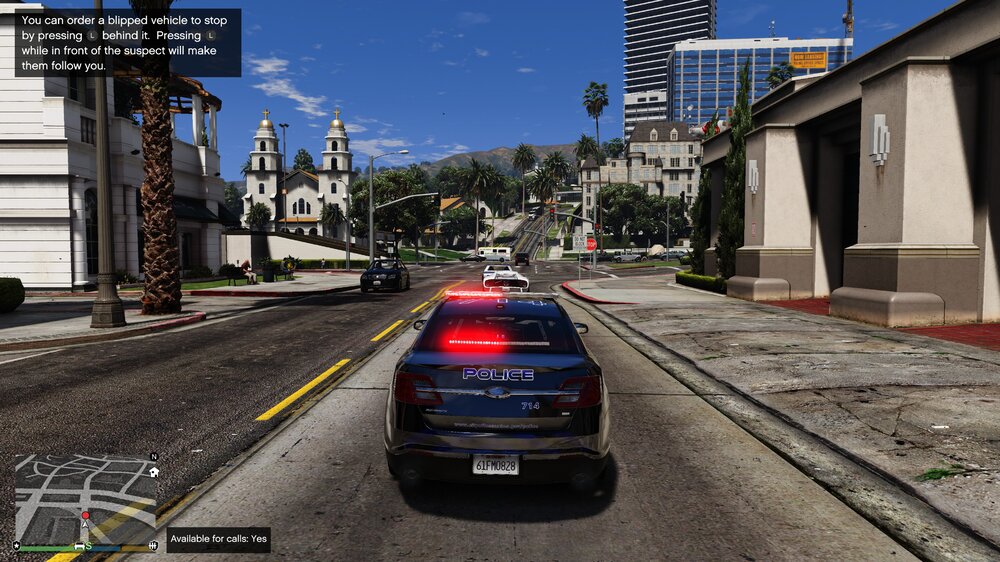
  3. hey everybody just seeing if someone can steer me in the right direction but recently I have had an issue where I go to initiate a traffic stop and it doesn't work at all or just blips and does not stop period. I have noticed a few other people with this problem and thought it was strange. If you need any log files or videos of said issue I will try and get them for you.

Account

Navigation

Search

Search

Configure browser push notifications

Chrome (Android)
  1. Tap the lock icon next to the address bar.
  2. Tap Permissions → Notifications.
  3. Adjust your preference.
Chrome (Desktop)
  1. Click the padlock icon in the address bar.
  2. Select Site settings.
  3. Find Notifications and adjust your preference.