
Speedy101
Members
-
Joined
-
Last visited
Everything posted by Speedy101
-
 Thank you sir your awesome Thank you so much Thank you bro you inspired me to do this
 -
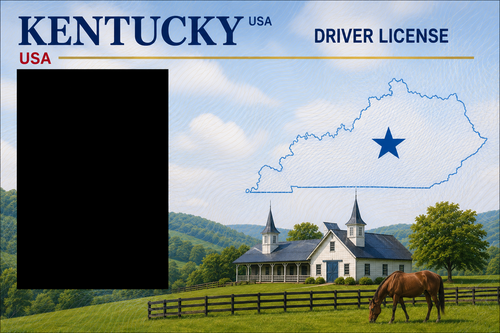
How to install Step 1. find your GTAV Main Directory Step 2. Go to GTAV Pathway Shown Grand Theft Auto V\plugins\LSPDFR\pdComp\assets Step 3. Find Your State Within your Win Rar or 7-Zip (or how ever you open your files with) Step 4. Save your Default/Original Driver License that came with Pd-Comp By Cossack Games Note I Made you a folder to put in your Driver License for the default/original in Step 5 Delete your Original/Default License From assets Folder Step 6. After you find your State Driver License Drag and drop into your assets folder Step 7. Delete the State Name But Leave Driver License Name Step 8. Run Game and enjoy Thank you for getting my download you are awesome and don't let anybody tell you different no matter of age Speedy101
-
i am loving the new and improve look to the LCPDFR site it's in dark mode and lighter on my eyes and much easier to click on a download as well thank you for what you do to keep this up and running for the LSPDFR community you guys are the awesome ones
-
 where is the ini file or it dose not have one or will it create a ini file after running the files in game?
- 70 comments
- 2 reviews
-