


Wawamoonnn
Members
-
Joined
-
Last visited
Everything posted by Wawamoonnn
-
i remove alot of file but i found OpenIV.asi crash my game i try to reinstall oopenIV but it cant fix
-
 Which callouts pack that make this sound i cant find tho🥲
 -
But in first person it normally Only happen when go on RPH in normal game it normal Grand Theft Auto V 2024.04.16 - 02.32.43.01.mp4 (sry for bad quality) XD
-
GTAV can work with out rage i try run rage in game but still crash RagePluginHook.log
-
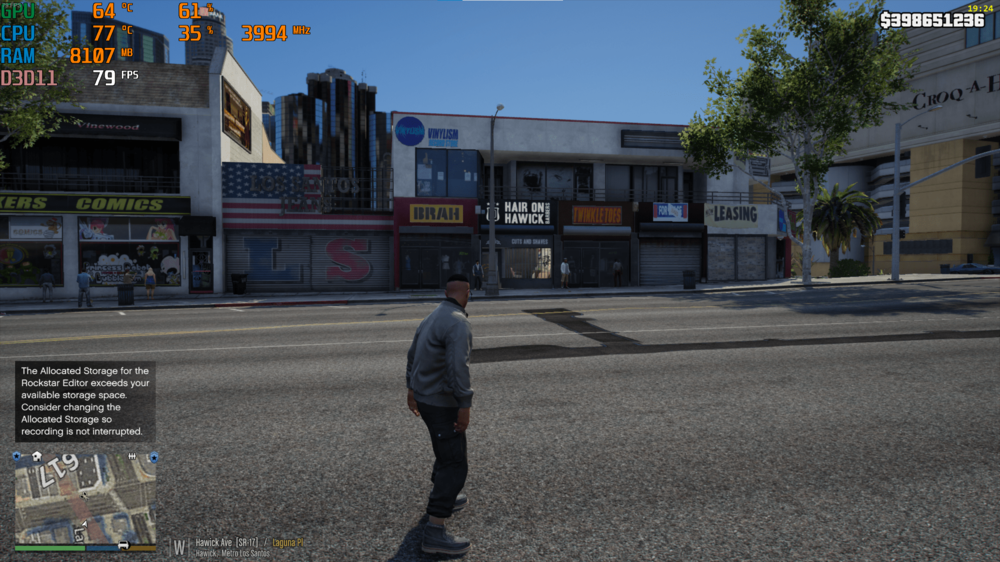
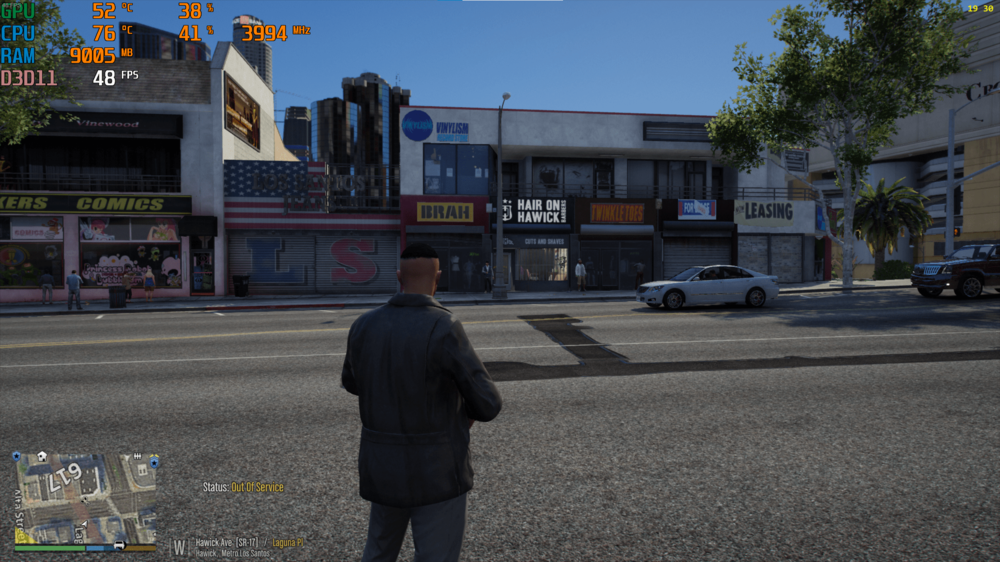
(off duty) \\ (on duty) gpu use around 32-50% and FPS32-55 but when in pasue menu gpu is usage 100%
-
now it crash on startup 🥲 RagePluginHook.log
-
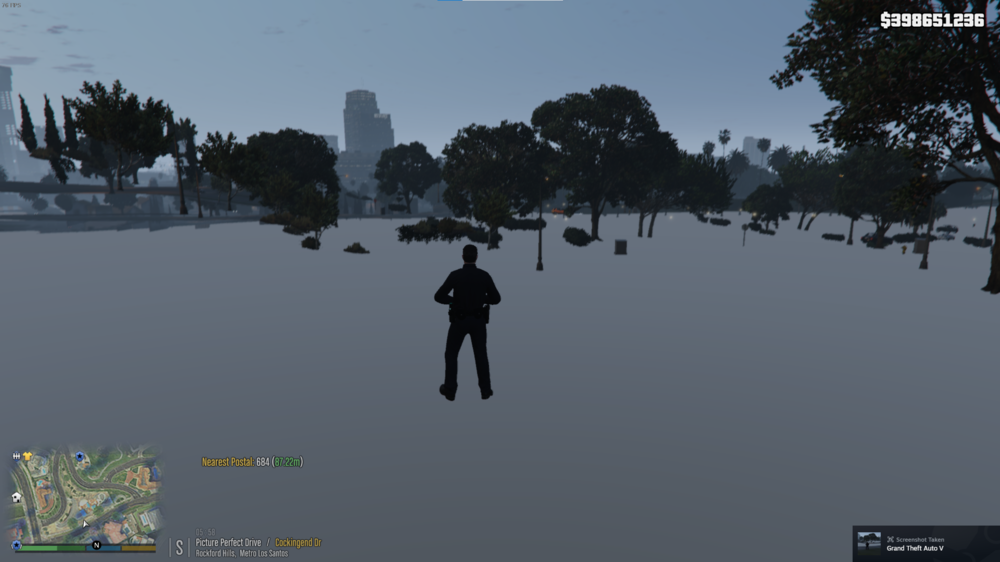
already re-install now it can go on duty but i have texture loss how to fix that
-
i dont think so i just only reinstall lspdfr and shv
-
RagePluginHook.log
-
yesterday it stuck on loading lspdfr black screen and crash ,today is stuck on RPH RagePluginHook.log
-
RagePluginHook.log
-
i delete Open All Interiors and restart game and then stuck RagePluginHook.log
-
-
i wait for more than 2 hours (first time install) RagePluginHook.log
.thumb.png.10a93d0bd37af4a1c4d1ce77530d0447.png)
-
idk😅
-
GTA V normally, rename to _mods but...
.thumb.png.5608fafda5761292a2f32f5eb194cc6d.png)
-
i have a new issue
.thumb.png.19f621cde39005b90b414ea667bcbc58.png) what nextScriptHookV.dll dinput8.dll ScriptHookVDotNet3.dll right?EUP MENU README --------------- Requirements: 1) RAGE Plugin Hook 0.37+ 2) RAGENativeUI 1.8.1+ 3) EUP Law & Order 8.3 4) (Optional but recommended) EUP Serve & Rescue 1.5 Installation: 1) Place RAGENativeUI.dll into your root GTA V folder (where GTA5.exe is). 2) Extract the contents of the Plugins folder in the archive into your GTA V Plugins folder. 3) Open the RPH console in-game (default F4) and type "LoadPlugin EUPMenu.dll" (without quotations). You can set the menu to auto-load on startup in your RAGE Plugin Hook settings. and What's EUPFR Basic? ===================== It means it only covers the main agencies from the game, in this version there is no BCSO, RHPD, DPPD, LSIA, LSPP and many more addons agencies How to install: =============== Drag and drop data into: Grand Theft Auto V\lspdfr\ and OpenIV package Installer for .oivstuck here after i install EUP
what nextScriptHookV.dll dinput8.dll ScriptHookVDotNet3.dll right?EUP MENU README --------------- Requirements: 1) RAGE Plugin Hook 0.37+ 2) RAGENativeUI 1.8.1+ 3) EUP Law & Order 8.3 4) (Optional but recommended) EUP Serve & Rescue 1.5 Installation: 1) Place RAGENativeUI.dll into your root GTA V folder (where GTA5.exe is). 2) Extract the contents of the Plugins folder in the archive into your GTA V Plugins folder. 3) Open the RPH console in-game (default F4) and type "LoadPlugin EUPMenu.dll" (without quotations). You can set the menu to auto-load on startup in your RAGE Plugin Hook settings. and What's EUPFR Basic? ===================== It means it only covers the main agencies from the game, in this version there is no BCSO, RHPD, DPPD, LSIA, LSPP and many more addons agencies How to install: =============== Drag and drop data into: Grand Theft Auto V\lspdfr\ and OpenIV package Installer for .oivstuck here after i install EUP.thumb.png.d176c67f3fac9152eefcaa6aa035b4ce.png) can help?
can help?


.png.0a6ba625dc226b02ae4a675598362dfc.png)
.png.b3f32fd4f428b8b9606bea9507058029.png)
.png.c932cc579b0165c19e058ba3064ce5a4.png)
.png.af436fa9e90b81728d2b797ad0881bf8.png)
.png.6563769297c7ac93488b38ad11deb1c4.png)
.png.ea467e05761febc822dadb3cc5d79fb0.png)
Account
Navigation
Search
Configure browser push notifications
Chrome (Android)
- Tap the lock icon next to the address bar.
- Tap Permissions → Notifications.
- Adjust your preference.
Chrome (Desktop)
- Click the padlock icon in the address bar.
- Select Site settings.
- Find Notifications and adjust your preference.
Safari (iOS 16.4+)
- Ensure the site is installed via Add to Home Screen.
- Open Settings App → Notifications.
- Find your app name and adjust your preference.
Safari (macOS)
- Go to Safari → Preferences.
- Click the Websites tab.
- Select Notifications in the sidebar.
- Find this website and adjust your preference.
Edge (Android)
- Tap the lock icon next to the address bar.
- Tap Permissions.
- Find Notifications and adjust your preference.
Edge (Desktop)
- Click the padlock icon in the address bar.
- Click Permissions for this site.
- Find Notifications and adjust your preference.
Firefox (Android)
- Go to Settings → Site permissions.
- Tap Notifications.
- Find this site in the list and adjust your preference.
Firefox (Desktop)
- Open Firefox Settings.
- Search for Notifications.
- Find this site in the list and adjust your preference.