Loris0
Members
-
Joined
-
Last visited
Everything posted by Loris0
-
It happens with any car. I tried reinstalling ELS, no success. I also have the latest gameconfig and heap adjuster versions installed.
-
When loading up my game everything works fine, but as soon as i spawn a cop car and press J my game crashes. It also happens in story mode (without ragepluginhook). I don't know if it is an error in my ELS, but it worked fine until now. Hopefully someone can help. RagePluginHook_03072023_140233.log
-
But the last update is already installed... still not working. I think RagePluginHook can't recognise the last update... don't know why. I have installed 2699.16 but RagePluginHook does just recognise version 2628.2

-
I i have to update my game but i don't know how (i play on epicgames)

-
If i start GTAV and launch RagePluginHook there is the message, that the current game version is not supported and GTAV starts normally, but not with RagePluginHook. Can't post my RagePluginHook file, it's too big🤷♂️
-
And i reinstalled LSPDFR + RagePluginHook
-
I just installed the last game version. Still not working. 😞

-
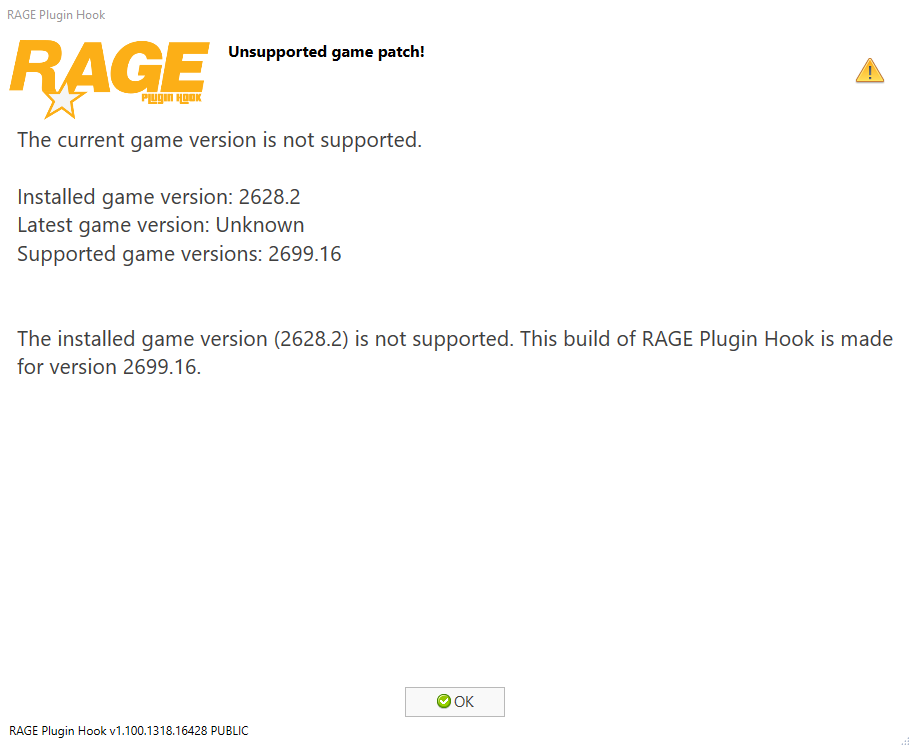
The current game version is not supported. Installed game version: 2628.2 Latest game version: Unknown Supported game versions: 2699.16 The installed game version (2628.2) is not supported. This build of RAGE Plugin Hook is made for version 2699.16. I have installed the latest version of Ragepluginhook, LSPDFR and GTAV. Everytime i launch RagePluginHook that message is popping up. I haven't played for a long time and would like to play LSPDFR again. Can somebody please help ? Thanks