


.png.671b540aed6d0b827646cf044fa76702.png)
.png.ce424331955fd8e592618cec3143bf94.png)
krosby
Members
-
Joined
-
Last visited
Everything posted by krosby
-
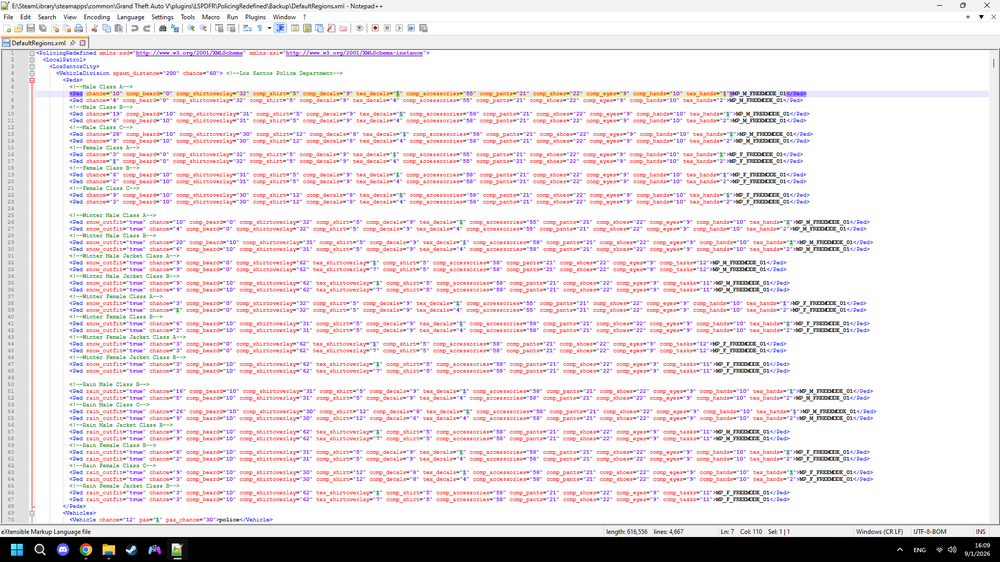
If you know anything about that, could you please help me because I don't know which texture it is here in the backup configurations
-
Yea but that would take up so much time, is there a mod thst does it, or at least a mod that helps me with it? Because I obviously want it for my backup etc.
-
Is there any mod or way I can change the green tasers on the LSPD uniforms to yellow? It's because I don't want to change the textures between green and yellow tasers anytime I want to switch from LSPD to something else.
-
I was wondering is there any mod that turns the green tasers in EUP to yellow (for LSPD).
-
The game crashes after i rename the mods folder
-
Heres the thing, I loaded every plugin manually, and before that, when I play as franklin everything works, it also works when I load every single plugin but when I load LSPDFR, then the issue appears. (Forgot to mention I also cant get into cars)
-
My guns have stopped working, by that i mean theres some weird animations then they don't shoot, but what is weird that the guns work in first person, I've replaced the weapon animations.meta, weapon components .meta and weapons.meta.
-
I have some questions about editing policing redefined backup .xml files and the agency.xml file: 1. Does the vehicle chance have to equal to exactly 100? same goes for pax_chance. 2. Is agency.xml the file where you edit ambient police cars and patrols? if so, for the officers to wear EUP uniforms, do I have to find a specific outfit name and put it in the file or can I leave just the ped name. 3. Where can I edit state and NOOSE units? By that, I mean when you are in the backup menu, you have the option NOOSE for swat and helicopters, and state for others. I want to know where can I change in what vehicles they respond and their loadouts, uniforms etc.
-
I'm sorry I just realized that one part is for los santos, other one for blaine county etc. I'm sorry for that. But I do have a question, if I want to add different car or If i want to add more cars to a department, How do I handle pax_chance and chance, does it have to equal to 100? And also where can I modify the NOOSE swat? By that I mean when you are in the backup menu you have local SWAT and NOOSE swat options, I want to modify the noose one.
-
RHPD still responding when i call for backup in RH turned out to be a one time thing and backup is working now how i intended, but they are still spawning near the station but that doesn't bother me much. Although when editing the defaultregions.xml, for example there is a part for SAHP (Their oufits, regions, vehicles etc.) But that same part gets repeated 5 times and when I want to edit it I dont know which one to edit
-
I edited the customregions.xml file and removed some stuff (RHPD, DPPD, LSIAP etc.), I also changed some vehicles that respond in certain areas, but when I entered the game nothing changed, I checked that I saved the changes and everything and, for example RHPD is still in their designated area even though I removed them. Also in the defaultregions.xml file there are like 5 San andreas highway patrol parts, and they are all identical, so if I wanted to modify them I don't know which one I should modify.
-
Sorry for the very late reply, this is a uniform from the Sarajevo police in Bosnia and Herzegovina
-
Every time I enter the site I see a new notification but I can not access it and when I enter I always see the same thing (the attached screenshot), same goes for messages.
.thumb.png.329e3ba759b845c22a5cc4940bd2c9b5.png)
-
Hi, I've been looking for a uniform that looks exactly like or looks like the one attached and that I can download here on this site.
-
So just don't press f4
-
Is there any EUP 9.6 backup config for Policing redefined?
-
Try naming your mods folder to "_mods" and check back in with me after youve done it
-
Hi, I really need a mod that gives the backup EUP outfits. But please, dont give me EUPFR or any mod with too many custom regions like DPPD, RHPD or like some ultra specific regions. The only custom ones ill take are the park rangers and LSIAP and LSPP. Also, this may come out wrong, but, if there could be a lesser amount of female officers, what I mean by this is that almost every backup is female, I want it EQUAL. If there is no mod with this criteria, someone could give me a mod pretty close to this and I would modify later. Forgot to mention, I dont want 100 backup options in the menu. Thank you for reading this heavily specific post, cause its pretty long.
-
Yes, it worked when I renamed the folder
-
Yeah, unfortunately, it didn't work. Do you have any other solution?
-
I will try that out, thank you so much I never even thought of that
-
I think both were from gtainside
-
I recently installed dwardo255's increased rate of fire and it broke my guns, so I removed the weaponanimations.meta and weapons.meta files and replaced them with original files I found on the internet and now when I select a gun it just doesn't appear and it only says the ammo in the top right
-
I recently installed dwardo255's increased rate of fire and it broke my guns, so I removed the weaponanimations.meta and weapons.meta files and replaced them with original files I found on the internet and now when I select a gun it just doesn't appear and it only says the ammo in the top right
-
I don't know, I installed it here from this site, if 9.10 is paid access I don't have it.
.thumb.png.dde6ab86092823c2d930ad4ead0d86e6.png)

.png.a391712d97e8b272170fe2334865f170.png)