


TmBB101
Members
-
Joined
-
Last visited
Everything posted by TmBB101
-
 Thanks!
 -
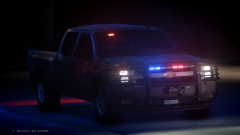
From the album: Law523 On-Duty
Vehicle is a community exclusive silverado! It will NOT be released. Comments & Feedback are Appreciated (Whether about truck or images!) -
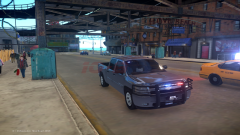
From the album: Law523 On-Duty
Vehicle is a community exclusive silverado! It will NOT be released. Comments & Feedback are Appreciated (Whether about truck or images!) -
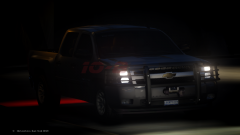
From the album: Law523 On-Duty
Vehicle is a community exclusive silverado! It will NOT be released. Comments & Feedback are Appreciated (Whether about truck or images!) -
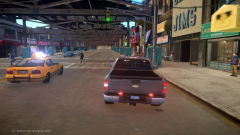
From the album: Law523 On-Duty
Vehicle is a community exclusive silverado! It will NOT be released. Comments & Feedback are Appreciated (Whether about truck or images!) -
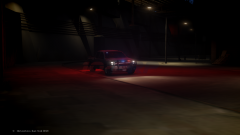
From the album: Law523 On-Duty
Vehicle is a community exclusive silverado! It will NOT be released. Comments & Feedback are Appreciated (Whether about truck or images!) -
https://www.youtube.com/watch?v=1rvVqXapp2o
-
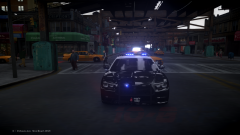 Yep! Thanks!
 -
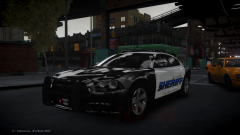
From the album: Law523 On-Duty
Vehicle is a community exclusive charger! It will NOT be released. Comments & Feedback are Appreciated (Whether about car or images!) -
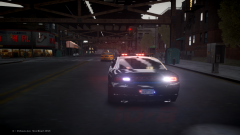
From the album: Law523 On-Duty
Vehicle is a community exclusive charger! It will NOT be released. Comments & Feedback are Appreciated (Whether about car or images!) -
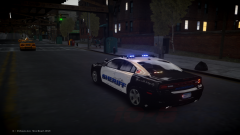
From the album: Law523 On-Duty
Vehicle is a community exclusive charger! It will NOT be released. Comments & Feedback are Appreciated (Whether about car or images!) -
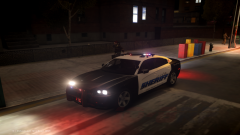
From the album: Law523 On-Duty
Vehicle is a community exclusive charger! It will NOT be released. Comments & Feedback are Appreciated (Whether about car or images!) -
From the album: Law523 On-Duty
Vehicle is a community exclusive charger! It will NOT be released. Comments & Feedback are Appreciated (Whether about car or images!) -
This is a hotfix for problems reported with, and features requested for, LCPD First Response 1.0. - Lots of new features have been added to the API, including the ability to control blips, items that peds can carry and arrow checkpoints. - The Police Computer and Quick Action Menu will no longer pause/slow down the game in mutliplayer. - You can now use your radio to check a suspect's ID during a traffic stop. - You can now set up a checkpoint on any road by using CTRL + B by default. This will allow you to stop and wave through passing traffic using the Quick Action Menu and aiming marker (Left ALT) - Ambient foot pursuit triggered events can now be disabled using the ForceDisableUseFootChasesAsEvent option in the configuration file. - Controller input can be disabled by using the AlwaysForceKeyboardInput option in the configuration file. - Police officers will no longer spawn with guns in their hands. - Some sounds have been improved to play from their actual real world position, like the handcuff sound effect. Finally... - You can now spawn a cup of coffee again by pressing O by default. To drink it, hold down the same key. Comes with slurping sound effects as standard! You can find them in the changelog! '?do=embed' frameborder='0' data-embedContent>>
-
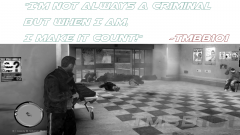 Thanks! I'll take that into mind next time!
 -
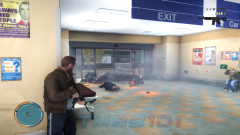
From the album: Tmbb101 Off-Duty
I'm one badass criminal! -
From the album: Tmbb101 Off-Duty
My new LCPDFR Gallery! -
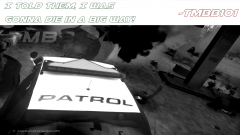
From the album: Tmbb101 Off-Duty
My new LCPDFR Gallery! -
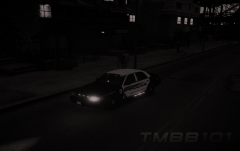
From the album: Law523 On-Duty
I edited the picture a bit and would like some feedback! Should I edit all of my images? -
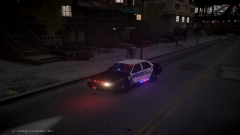
From the album: Law523 On-Duty
My soon to be uploaded/released LCPDFR episode! -
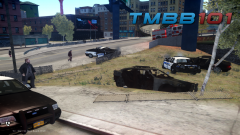
From the album: Law523 On-Duty
LCPD Broker-Dukes Sector Pursuit end in death and several destroyed vehicles. Please comment & like! -
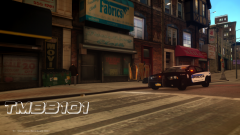
From the album: Law523 On-Duty
LCPD Broker-Dukes Sector on scene of a possible shots fired! Please Comment & Like! -
 Video is now successfully uploaded!
 -
Video is now successfully uploaded!
-
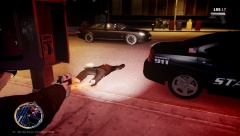
From the album: Law523 On-Duty
Can you guess what happened here? BTW I didn't just shoot him Find out- http://youtu.be/I6hsTUWWCvo (Video may still be processing)

