
NorthernOfficially
Members
-
Joined
-
Last visited
Everything posted by NorthernOfficially
-
-
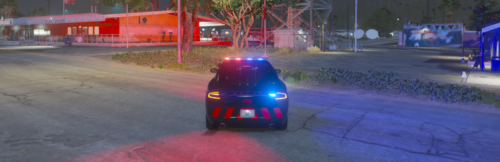 This is a livery for the '18 Charger (Link to vehicle is in the Read Me, or can be found linked below.) Link to Vehicle the Livery/Texture is used on: https://modification-universe.com/forums/resources/els-18-dodge-charger-lsso-patrol-vehicle-all-blue-red-blue.131/ If you have criticism, please comment it, make sure it is constructive though, I'm always looking to improve. - enjoy folks