KemCik
Members
-
Joined
-
Last visited
Everything posted by KemCik
-
Thanks! ^^ Yeah I've tried but, I didn't like them because the ELS was too dark for me, I need an ENB like Game4Video.
-
Hey guys! I probably have a problem with my graphics card and ENB. I have already written some messages to the author of Game4Video on LCPDFR.com and on YouTube. The problem is that I always get black screen after the game loads. I asked someone who uses this ENB and also he said that the problem is my graphics card. This "M" series from Nvidia is probably the problem. I wanted to ask you if you can help me maybe. Greetings KemCik
-
Okay, I'm gonna try it out. But what if there is already a Text Doc. called commandline? Thanks for your answer ^^ Well, there are 2 Discs, like the normal GTA IV Game without EFLC. GTA IV and EFLC are in same Discs, and yes I bought them. And there are no different .exe's. Thank you for your Answer too ^^
-
-
My Laptop Specs: 64Bit OS | Intel Core i5 Dual Core 2.5GHz - with TurboBoost 3.1Ghz, TurboBoost start automatic when I start the Game. 8 GB RAM | Graphic Card: Nvidia Geforce GT 635M 2 GB. I've installed it but i had only black screen. I could only see the HUD
- 104 comments
- 32 reviews
-
-
And how many FPS can I get if I use it?
-
Set your settings on Low
-
I love both cars. CVPI's sound is sexy :)
-
-
Hello Guys! I have two different problems. I'll start with GTA IV Complete Editon. I bought last week GTA IV Complete Editon, there is (as you know) the normal GTA IV, The Ballad of Gay Tony & The Lost and Damned it. The problem is I can not play EFLC. When I'm in the main menu and click on EFLC and select them after one of the two games, I can only download the both games, although I have it installed already. The problem may be in Windows 8? I hope you can help me :) And the second problem. (It is not a problem but I have a few questions) My laptop: http://www.niedermeyer.at/computer/hardware/notebooks/lenovo-g780.html I have 3.1 Ghz if TurboBost is enabled but without Turbo Boost 2.5 Ghz. I've heard that Turbo Boost is enabled automatically when you start applications / games. I look at Makinith29's videos and see that he is using ENB. I do not know what ENB but looks very nice. On his channel you can find his laptop specs, but my laptop is better than his I think. His game is not laggy because his settings are on Medium. I downloaded a couple of ENB for low-end PC's and tested. Result: Most of them don't work. The Game loads, but doesn't start! Today I found another ENB for low end and tested. I had two problems. First I had to start a new game. Second I could not open GFWL. In WinRar file there were two folders. One folder was called; "optional". There were two xliveless files, so i put them into my GTA IV folder too. And I could start the game. I think the earlier problems were that I used no xliveless. Can one tell me if I have a low-end or mid-end laptop? I hope you can help me with these two problems. Greetings KemCik
-
-
-
-
wow congrats dude, good luck :D
-
Alrrightyy errybodyyy... an update: i think the problem is my account. i have a 2nd account i signed with it and i could start the game and i had to begin a new game, which is no problem for me :) but thank you guys anyway ^^ i hope i can play with my 2nd way loonger :D if you want to add me, my GFW ID is: PlanetKobra3 Thank you
-
yes i do it always
-
I did but it doesn't work. @xDuSkAsSaSsInx i've deleted my Rockstar Games folder, but it doesn't work :(
-
I've installed 5 car mods and the following script mods: LCPDFR (of course), indicator, tow service, police helper, traffic flow and Braveheart's policing script. That's all. My Laptop: http://www.niedermeyer.at/computer/hardware/notebooks/lenovo-g780.html
-
Hey Whenever I open up GTA 4, without any warning, the game closes to the desktop after loading, leaving no signs! I have already unsitalled and re-installed the game 5 times but it doesn't work. Any suggestions would be appreciated. Thanks
-
-
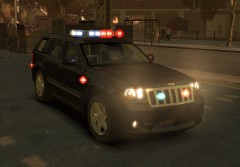 wow really nice! :o
 -
Enjoystick!
-
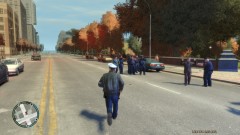
From the album: Officer KemCik's Adventures
How to arrest a suspect -
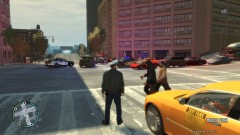
From the album: Officer KemCik's Adventures
After a pursuit