




m0mentum
Members
-
Joined
-
Last visited
Everything posted by m0mentum
-
 Oh duh haha! I'm using Menyoo but didn't even think of that, thanks for the tip
- 713 comments
- 33 reviews
-
-
It would be awesome if you could add the ability to jump back into editing your vehicle's laptop position with a press of a keybind. Having to edit or remove your LaptopPositions.xml when changing your vehicle models or when messing up the laptop's initial setup is a bit tedious, but tolerable if there's no way around it. Also, adding a modifier that lowers the increments used when editing the laptop's position might be nice. Anyways, I'm absolutely loving this mod so thanks for sharing, it's some top tier stuff!
- 713 comments
- 33 reviews
-
-

- 1
-
-
-
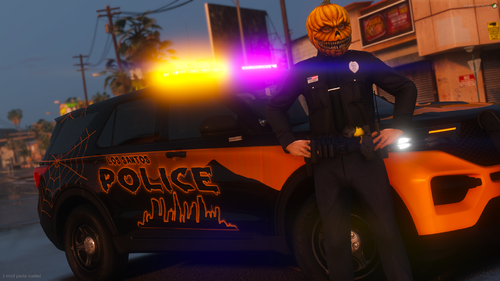 Wow thanks for sharing, she's a beauty! Haha I'm curious about the map used in the preview video, is that something that's available for SP? I'm thinking that plus some dense fog would pair so well with this vehicle, perfect for a spooky Halloween patrol.
- 3 comments
- 2 reviews
-
-
- 1
-
-

