


Fiberish
Members
-
Joined
-
Last visited
Everything posted by Fiberish
-
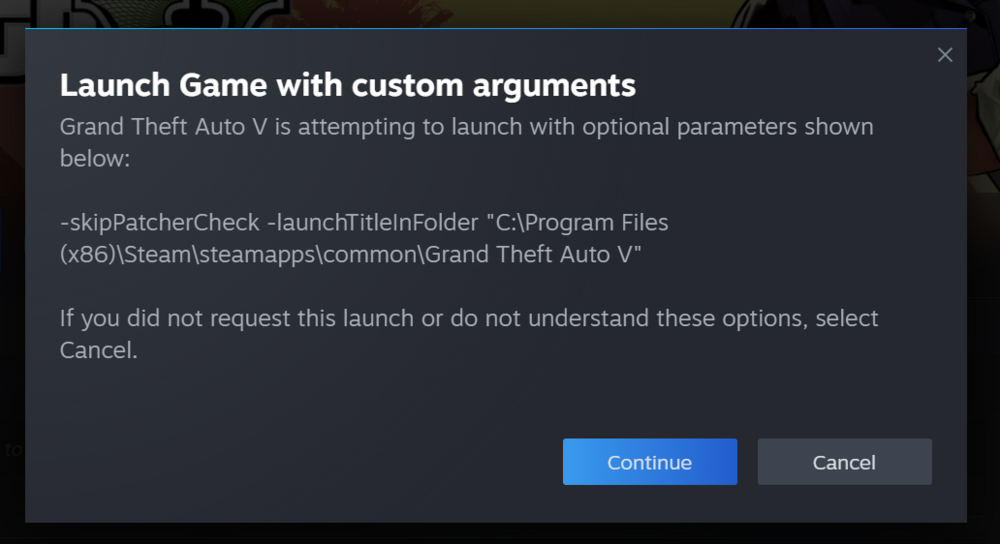
Whenever i launch RPH it opens steam and it says the following in the image below, when i click continue i launch GTA normally BUT RPH stays on "Launching game.." and when i click Cancel gta just doesnt open, i tried everything and nothing works my GTA and LSPDFR is brand new too i reinstalled everything please help because people have this issue too and no one is helping us i dont know what to do. NOTICE: I TRIED EVERYTHING REINSTALL GTA, DELETED ALL MODS, CLEAN DIRECTORY, REINSTALLED LSPDFR WITH NOTHING ELSE ON IT, I TRIED RUNNING ADMINISTRATOR FOR RPH AND IT LOADS BUT CRASHES INSTANTLY, I ALSO TRIED USING PLAYGTA.EXE THEN LOADING RPH A FEW SECONDS AFTER BUT IT ASKS FOR A AUTHENTICATION CODE AND IT THEN SAYS INVALID WHEN I INSERT IT, I TRIED RUNNING GTA NORMALL THEN RUNNING RPH AFTER NOTHING WORKS
-
hey mate im still confused on ur explanation can you explain it a bit more in depth im still confused
-
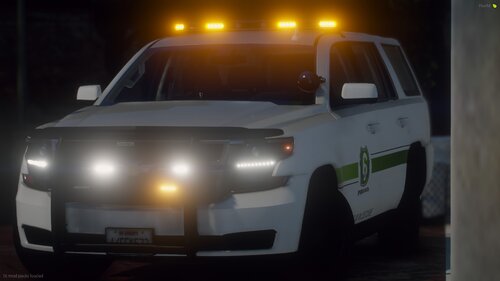 replacment or addon?
 -
So I tried opening LSPDFR through the RAGE Plugin hook and it will simply not load up I'm not sure why but the game just does not load and stays stuck in the loading screen. please help.

