Skip to content
View in the app

A better way to browse. Learn more.

LCPDFR.com

A full-screen app on your home screen with push notifications, badges and more.

To install this app on iOS and iPadOS
  1. Tap the Share icon in Safari
  2. Scroll the menu and tap Add to Home Screen.
  3. Tap Add in the top-right corner.
To install this app on Android
  1. Tap the 3-dot menu (⋮) in the top-right corner of the browser.
  2. Tap Add to Home screen or Install app.
  3. Confirm by tapping Install.

dariuspuf24

Members
  • Joined

  • Last visited

  1. Jack Steven     Arrested Danny Shade in Grapeseed, Seaview Rd
  2. Jack Steven     Responded to a [SC] Dead Body in Grapeseed, Seaview Rd
  3. Jack Steven     Finished responding to a [SC] Suspicious Vehicle in Grapeseed, Seaview Rd
  4. Jack Steven     Responded to a [SC] Suspicious Vehicle in Grapeseed, Grapeseed Ave
  5. Jack Steven     Finished responding to a [SC] Car Accident3 in Paleto Bay, Paleto Blvd
  6. Jack Steven     Finished responding to a [SC] Ambulance Escort in Paleto Bay, Paleto Blvd
  7. Jack Steven     Responded to a [SC] Ambulance Escort in Paleto Bay, Paleto Blvd
  8. Jack Steven     Finished responding to a [SC] Injured Cop in Paleto Bay, Paleto Blvd
  9. Jack Steven     Finished responding to a [SC] Officer Ambush in Paleto Bay, Paleto Blvd
  10. Jack Steven     Finished responding to a [SC] Car Accident2 in Paleto Bay, Paleto Blvd
  11. Jack Steven     Finished responding to a Holdup in Paleto Bay, Paleto Blvd
  12. Jack Steven     Finished responding to a [SC] Stolen Construction Vehicle in Paleto Bay, Paleto Blvd
  13. Jack Steven     Finished responding to a [SC] Car Accident in Paleto Bay, Paleto Blvd
  14. Jack Steven     Finished responding to a [SC] Illegal Parking in Paleto Bay, Paleto Blvd
  15. Jack Steven     Finished responding to a [SC] Trespassing in Paleto Bay, Paleto Blvd
  16. Jack Steven     Finished responding to a [SC] Car Accident3 in Paleto Bay, Paleto Blvd
  17. Jack Steven     Finished responding to a [SC] Police Impersonator in Paleto Bay, Paleto Blvd
  18. Jack Steven     Finished responding to a [SC] Stolen PD Vehicle in Paleto Bay, Paleto Blvd
  19. Jack Steven     Finished responding to a [SC] Indecent Exposure in Paleto Bay, Paleto Blvd
  20. Jack Steven     Responded to a [SC] Indecent Exposure in Paleto Bay, Paleto Blvd
  21.    dariuspuf24 reacted to a post in a topic: NPC patrol stuck - SOLVED
  22.    dariuspuf24 reacted to a post in a topic: NPC patrol stuck - SOLVED
  23.    KMoney2025 reacted to a post in a topic: NPC patrol stuck - SOLVED
  24. Is there any way to change the complete color of a police car - police 1,2,3? Or at least liveries that change the color?
  25.    Lennyy reacted to a post in a topic: NPC patrol stuck - SOLVED
  26.    Gan Ceann reacted to a post in a topic: NPC patrol stuck - SOLVED
  27. I use it SimpleTrainer, I reinstalled UB and it does the same thing I use it SimpleTrainer, I reinstalled UB and it does the same thing Don't bother anymore, you're a genius, the problem was with SimpleTrainer, ignore player everyone option
  28. UPDATE: I notice that everything in UB is also blocked, including the random patrolling npc on the map, and backup code 3 and 2 Hello! I recently reinstalled lspdfr... and I'm having the following problems, I find npc patrols that are standing still with their cars, not moving, stuck, they either back up or try to go forward, but they stay stuck. The 2nd problem when requesting to transport suspects, the patrol that spawns stays stuck in the place where it spawns, I use UB. I would be grateful if you could help me.. Thanks!
  29. after the last update, gta 5 without lspdfr makes a black screen in the loading screen, and LSPDFR crashes when opening the game with the respective log RagePluginHook.log
  30.    dariuspuf24 reacted to a post in a topic: pull cars over with a civilian car?
  31. Hello! Is there any way I can pull cars over with a civilian car?
  32. DLS - Dynamic Lighting System v2.0.0.2 ----------------------------------------------------------- [05/17/2025 17:55:53] [INFO] Detected RPH 1.120.1355.16712 [05/17/2025 17:55:53] [INFO] Loaded: DLS.ini [05/17/2025 17:55:53] [INFO] Registered ControlsInput [LOCKALL]: Scroll [05/17/2025 17:55:53] [INFO] Registered ControlsInput [KILLALL]: Pause [05/17/2025 17:55:53] [INFO] Registered ControlsInput [INTLT]: Oem6 [05/17/2025 17:55:53] [INFO] Registered ControlsInput [INDL]: OemMinus [05/17/2025 17:55:53] [INFO] Registered ControlsInput [INDR]: Oemplus [05/17/2025 17:55:53] [INFO] Registered ControlsInput [HZRD]: Back [05/17/2025 17:55:53] [INFO] Registered ControlsInput [CYCLE_STAGES]: J / DPadLeft [05/17/2025 17:55:53] [INFO] Registered ControlsInput [REVERSE_CYCLE_STAGES]: LShiftKey + J [05/17/2025 17:55:53] [INFO] Registered ControlsInput [TOGGLE_STAGES]: K [05/17/2025 17:55:53] [INFO] Registered ControlsInput [TOGGLE_STAGE3]: O [05/17/2025 17:55:53] [INFO] Registered ControlsInput [CYCLE_TA]: I [05/17/2025 17:55:53] [INFO] Registered ControlsInput [REVERSE_CYCLE_TA]: LShiftKey + I [05/17/2025 17:55:53] [INFO] Registered ControlsInput [AUDIO_HORN]: Y / LeftThumb [05/17/2025 17:55:53] [INFO] Registered ControlsInput [TOGGLE_SIREN]: G / DPadDown [05/17/2025 17:55:53] [INFO] Registered ControlsInput [CYCLE_SIREN]: R / B [05/17/2025 17:55:53] [INFO] Registered ControlsInput [REVERSE_CYCLE_SIREN]: LShiftKey + R [05/17/2025 17:55:53] [INFO] Registered ControlsInput [AUDIO_SIREN1_MANUAL]: T [05/17/2025 17:55:53] [INFO] Registered ControlsInput [AUDIO_SIREN1]: D1 [05/17/2025 17:55:53] [INFO] Registered ControlsInput [AUDIO_SIREN2]: D2 [05/17/2025 17:55:53] [INFO] Registered ControlsInput [AUDIO_SIREN3]: D3 [05/17/2025 17:55:53] [INFO] Registered ControlsInput [TOGGLE_LA]: Next [05/17/2025 17:55:53] [INFO] Registered ControlsInput [TOGGLE_RA]: PageUp [05/17/2025 17:55:53] [INFO] Loading: DLS - GameTime Cache Thread [05/17/2025 17:55:53] [INFO] Loaded: DLS - GameTime Cache Thread [05/17/2025 17:55:53] [INFO] Loading: DLS - Triggers Manager [05/17/2025 17:55:53] [INFO] Loaded: DLS - Triggers Manager [05/17/2025 17:55:53] [INFO] Unloading DLS [05/17/2025 17:55:53] [ERROR] Failed to remove patch extra repair HELP PLS ?!
  33. dariuspuf24 changed their profile photo
  34. Hello, I will try to explain my problem as best as possible. For some time now I've been trying to change the equipment of my NPCs who come to request back-up, respectively to change the slippers of the firefighters and highway officers. I have making modifications in all the files related to the EUP clothing, but when I request a backup the npc's come without the modifications made by me. But I noticed that the changes were made in my eup menu but also to the patrols that walk around the city, respectively to the firefighters that stay in the station.
  35. Hello, I recently reinstalled lspdfr, everything is fine... but when I request code 3 support, only one man in an armed car comes to my patrol, can I change this? for 2 or 3 people to come in a car? And if anyone knows how I can change the gender distribution parameters when requesting SWAT or NOOSE, because they always send me more girls than boys. ((topic solved, I found parameters in the plugin files, and the chance that 2 officers will come to code 3 is divided)) TNX !
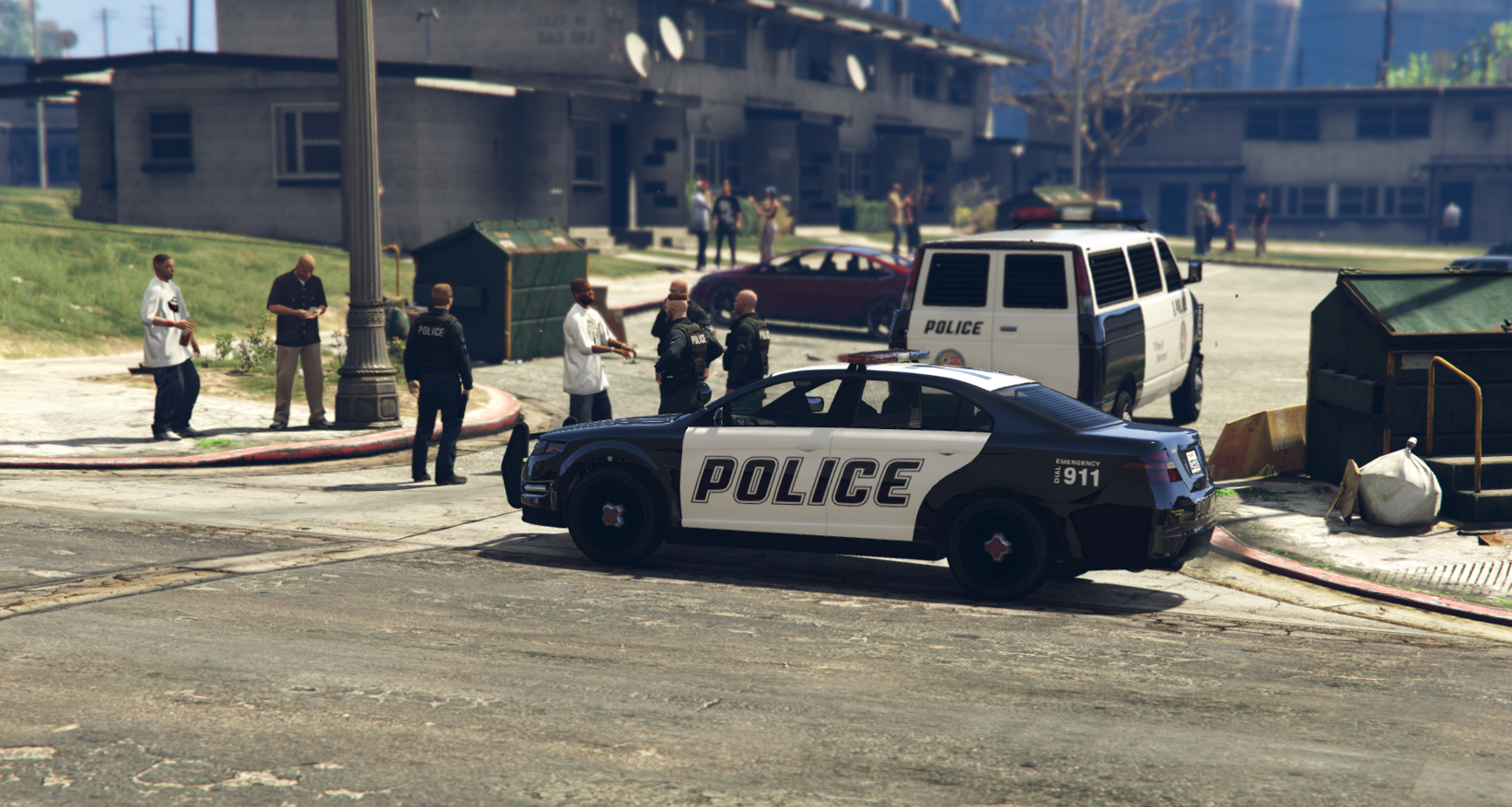
  36. Hello, for a few days I have been experiencing the following problem in my lspdfr, police1 used by AI always spawns both during back-up and in simple street patrol without the emergency light on the ceiling, i.e. they are spawned only with the interior lights without the beaco. Below I will leave a photo of the car that dominates in my city. I have no problems with the other police vehicles. Do you have any idea why there are no vehicles with emergency lights on the roof? UPDATE: I have spawned several vehicles with simple triner, they all spawn slicktop, although in the first second the lights appear up and then disappear thank you !

Account

Navigation

Search

Search

Configure browser push notifications

Chrome (Android)
  1. Tap the lock icon next to the address bar.
  2. Tap Permissions → Notifications.
  3. Adjust your preference.
Chrome (Desktop)
  1. Click the padlock icon in the address bar.
  2. Select Site settings.
  3. Find Notifications and adjust your preference.