


AlexInATuxedo
Members
-
Joined
-
Last visited
Everything posted by AlexInATuxedo
-
 Don’t drag the entire application from the Game Directory to your Desktop, you’re supposed to make a copy of RAGEPLUGINHOOK and drag that to your Desktop. Leave the actual application in your game directory.
- 13 comments
- 2 reviews
-
Unmarked Tempesta with ELS features! A new and upcoming project set to be released some time soon!
-
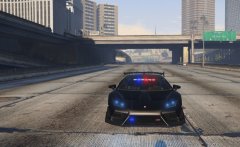
From the album: Unmarked Tempesta Project
-
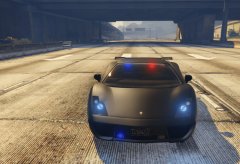
I have a new and upcoming vehicle model called the “Unmarked Vacca” I don’t know when I will release it, but I have to do some more modelling and finishing touches. Been working on it for 3 days, probably 10 hours all together.
-
-
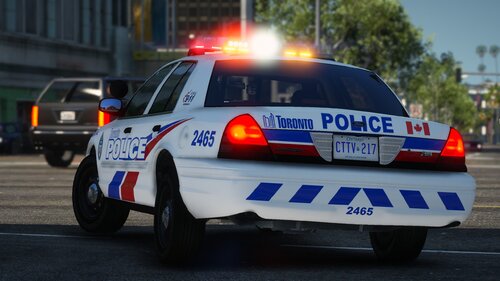 I work for the Toronto Police, serving mainly Downtown & Brampton region. Jeffrey Northrup and I never worked in the same building, but when he died it hit the city harder then a tornado could. It was devastating. Even though we never worked in the same building, we knew every single separate department in the city, and there are just over 40+ different departments assigned to different regions of the city. Some are assigned to the deadly gang areas, where some are assigned to the downtown area. All just as dangerous, but a loss in the Toronto Police Team hurts everyone in the city, even if we’re 20km further downtown. My prayers and wishes go out to his family and the department of which he was working with.
 -
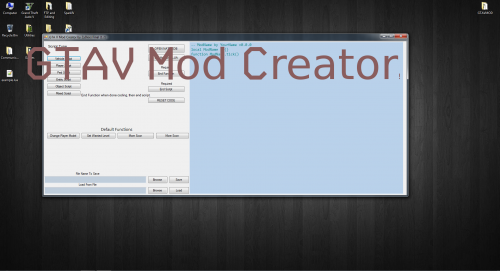 First of all, with no clear guidance or proper explanation in the description, I have to admit that I’m scared to download this file. I see that there is a “README” file in the .rar, but I don’t want to download this file just to read it, then to find out it’s a virus. Mod Creator’s have the ability to hide viruses so they can’t be detected by anti-virus softwares. No clear explanation, improper and unintelligible description, don’t download.
 -
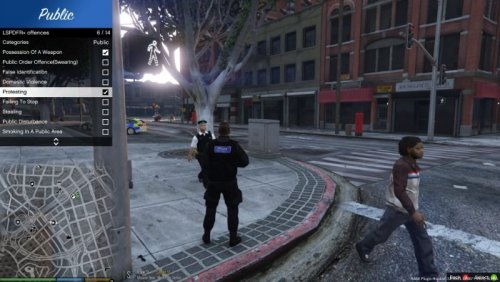 Working on one.
 -
Because some people still use it like me, occasionally.
-
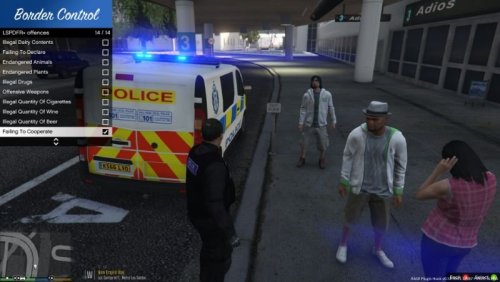 Standard British Border Control Offenses! All of the offenses can be found in the .xml file. You can edit, add and change whatever you feel in the .xml file. Requirements: (1) - LSPDFR+ by Albo1125 (not required) (2) - LSPDFR (all versions) - A text document within the .rar file will help you install the offenses if you're having troubles. ATTACHED BELOW IS AN IMAGE OF THE OFFENSES!!
 -
.thumb.jpg.ddfc42c508f09d5cabed93dba057ed81.jpg) Standard British Traffic Offenses! All of the offenses can be found in the .xml file. You can edit, add and change whatever you feel in the .xml file. Requirements: (1) - LSPDFR+ by Albo1125 (not required anymore) (2) - LSPDFR (all versions) - A text document within the .zip file will help you install the offenses if you're having troubles. ATTACHED BELOW IS AN IMAGE OF THE OFFENSES!!
Standard British Traffic Offenses! All of the offenses can be found in the .xml file. You can edit, add and change whatever you feel in the .xml file. Requirements: (1) - LSPDFR+ by Albo1125 (not required anymore) (2) - LSPDFR (all versions) - A text document within the .zip file will help you install the offenses if you're having troubles. ATTACHED BELOW IS AN IMAGE OF THE OFFENSES!! -
-
This file includes: Possession Of A Weapon Public Order Offence(Swearing) False Identification Domestic Violence Protesting Failing To Stop Stealing Public Disturbance Smoking In A Public Area Failing To Dispose Dog Poo Bodily Exposure Possession Of Cannabis Litter LSPDFR+ IS NOT REQUIRED ANYMORE, BUT IT STILL WORKS!! - Download from here: http://www.lcpdfr.com/files/file/11930-lspdfr-improved-pursuit-ai-better-traffic-stops-court-system-statistics-more/ - You may also edit the .xml and add your own custom offenses as you please.
-
If you're curious on how it works and how to install properly, please read the description.
- 13 comments
- 2 reviews
-
-
Smoother Gameplay =========================================== This .bat file allows your game to run at a 10-15+ fps advantage. EVERYONE READ: 1. How to make it work: Download this .zip file, open it and drag the launcher.bat file to your desktop. Once you have completed everything below this, double click and wait. 2. This .bat file increase your game's frames by at least 15fps. For it to work, you need to go into your Grand Theft Auto main directory, find the application for RAGEPluginHook, and right click and "send-to desktop." Once it has been sent to your desktop, you need to rename the shortcut by getting rid of "shortcut" and just have it named like this: RAGEPluginHook. If you'd like to rename the shortcut something else, just right click on the .bat file, press edit and change the name beside the "start" line to whatever the shortcut's name is. (refrain from any spaces) 3. Once you double click the .bat file, it will launch RagePluginHook in high priority, meaning it will run at an advantage compared to everything else. Once RagePluginHook has started, wmic (TASK MANAGER,) will make the two processes (gtavlauncher and the sub process - and make them idle) meaning it will make it so these two processes aren't taking up any more CPU time or memory, because the GTA V Launcher itself takes up more CPU than the game itself. (Because it is a huge application for any PC to start up, and the Sub Process just hogs up more CPU and Memory.) 4. (Additional Notes) - If you'd like, which was kind of explained above, you can edit the .bat file. You can get rid of the "timeout 60" if you'd prefer, or just lower it. The timeout is there just in case you are busy and can't press "enter" right away. It gives you 60 seconds before it kills the process and you must double click it again. THERE IS AN IMAGE BELOW FOR REFERENCE!! BELOW IS AN IMAGE OF THE NEWER VERSION!!
- 13 comments
- 2 reviews
-
-

- 1
-


.thumb.jpg.ddfc42c508f09d5cabed93dba057ed81.jpg)