


kosak382
Members
-
Joined
-
Last visited
Everything posted by kosak382
-
i did this too
-
I tried a few times, and still nothink 😞
-
https://docs.google.com/document/d/1foThm0BhcPW9VgK-ufTwlJfbQg0yMngI8RLTiaxRTW8/edit?usp=sharing this is what rage plugin hook shows me after error
-
oh, okey RagePluginHook.log
-
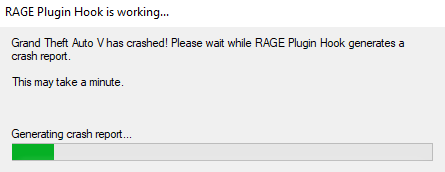
Still nothink when I get a connection, the game generates it normally and I can go to it, but in the background there is some process "RAGE plugin hook working ..." then the game is over 😞 RagePluginHook_02082022_114725.log
-
Nope. Still crushing https://docs.google.com/document/d/1foThm0BhcPW9VgK-ufTwlJfbQg0yMngI8RLTiaxRTW8/edit?usp=sharing
-
So, everythink is good, but if i get call - then crush, i have only lspdfr and scripthook V in main folder Please help. ragepluginhook.log: https://drive.google.com/file/d/1Q7MPyEaSSnq2SNEAwMMueK_R1rKPxeKj/view?usp=sharing
-
So, everythink is good, but if i get call - then crush, i have only lspdfr and scripthook V in main folder Please help. ragepluginhook.log: https://drive.google.com/file/d/1Q7MPyEaSSnq2SNEAwMMueK_R1rKPxeKj/view?usp=sharing
