


officialtreeuser
Members
-
Joined
-
Last visited
Everything posted by officialtreeuser
-
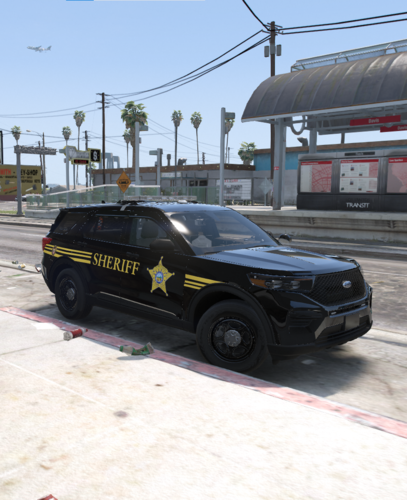 Saw no one else made a 2020 explorer livery for Ohio, this one is for Cuyahoga County! This includes a Patrol livery and a Protective Services livery, Which the CCSD uses for court services and all those shenanigans. This is my first livery pack so it is not perfect, but its something! Used this 2020 FPIU but changed the lightbar to all blue
 -
wait so its only the August/September versions that are infected?

