


BrattyTessInactive
Members
-
Joined
-
Last visited
Everything posted by BrattyTessInactive
-
Hii! So I have this issue that GTA crashes when it shows that it is loading Lspdfr. Hopefully can someone help me out! x Tess RagePluginHook.log
-
I tried it again, and now it is somehow working lol No clue why or how. But it is working! With all the mods I have loaded.
-
I've done this, but now it is crashing the game when I'm about to enter "story mode" I added the crash log. RagePluginHook.log
-
As the title says, my game crashes with the Out of memory crash! Who can help me with a fix? ^^ x Tess
-
This worked, thanks alot! I got a new issue now tho, not enough memory.. But I will create a new topic for that issue! 🙂
-
Hii! I've updated LCPDFR incl. Rage & also Scripthook V.. My game is not crashing, but GTA keeps loading & loading & loading.. I did restart the game multiple times and have waited for a decent amount of time multiple times.. Does anyone know a solution or what might be going on? ☺️ x Tess
-
Hellooo! o/ So lately I've been having this issue when I'm playing LSPDFR that I'm struggling with huge lag spikes. I NEVER had this issue before since around 2 days ago.. LCPDFR doesn't crash, but the lag spikes kills of course the fun for me.. Plugins I am currently using: EUP Menu No More Falling Peds 686 Callouts Beachfront Callouts Callout Interface Compulite Dynamic Callouts Gray Callouts Narcos Call out Stop the ped Ultimate Backup United Callouts ALRP Lite Belic Callouts Clipboard County Calls Deadly Weapons Hyper Callouts Plain Sight Speedrader Lite Yobbin Callouts No clue if this helps in any way or form, but the more information I am able to provide the easier you might have a chance to help me out!😊 x Tess
-
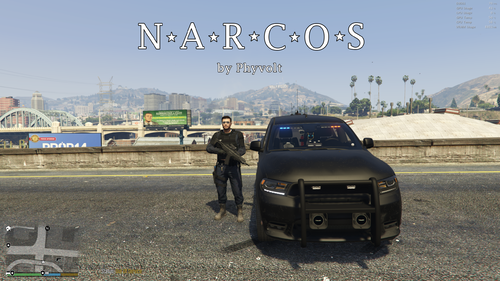 sounds promising! Def gonna give it a try :)
 -
This worked, thanks alot! 🙂
-
I am doing a fresh re-install of LSPDFR! Now I am trying to get EUP Menu working, but when I try to open the menu in-game with f11 EUP menu crashes. I have been trying to figure it out, checked all the folder permissions etc. But so far I can find every folder got the correct permissions, maybe someone got an idea on how to fix this issue? I added the log 🙂 RagePluginHook.log
-
 Thank you Thank you Thank you! So far I am really enjoying this, cant wait for what else is gonna come in the future! Great job
- 707 comments
- 33 reviews
-
I already knew about this, but still thanks for the help! ^^ I've done this.. The first time started up GTA and Rage it crashed, the second time it keeps loading & loading & loading 😧
-
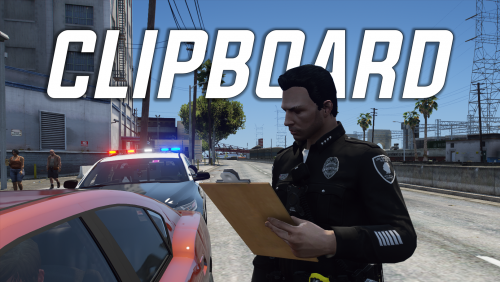 Yes! I am loving this, great plugin. Thank you for this! ^^
 -
Oh noo.. My ELS is not working anymore! The issue? I go through all the light stages, I can hear them change etc.. But no lights at all show up! No lights at all.. Who can help me out? :)
-
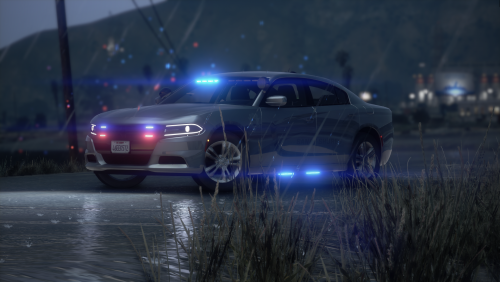 For me the ELS folder is empty when I open it sadly enough! The car looks amazing on the pics tho, so hope to be able to use it soon 😊 EDIT Nevermind! It is indeed in the Vehicle folder instead of in the ELS folder.
- 7 comments
- 1 review
-
 Awesome to see a new callout pack! Keep it up! I am gonna download it and give it a try ^-^
 -
It is working, thanks alot! 😄
-
I have been looking for a good working fuel mod for my patrols on LCPDFR.. Just to get some more realism into it! But so far I haven´t been able to find a good one, or don´t wanna try just random ones in case it will crash or corrupt everything! If anyone has any suggestions, please let me know ^-^ x -Tess


