Daniel1711
Members
-
Joined
-
Last visited
Everything posted by Daniel1711
-
 @TraitorTBThank you very much. Yeah i changed the controller Button to Dpad-Up, i just forgot to change the descreption and readme! 🙂
 -
@MattWestGaming Thank you very much, your work is appreciated! Many people have trouble to get this working so it will help alot:)
-
Showcase of the mod @jacalapar @Billionare376@Billionaire Make sure you have NativeUI in your script folder and scripthookv and scripthookv community in your gta 5 root folder. this is last tested on the a later version of scirpthookv.net, you can watch @MattWestGaming great video it works for him it will probably help you guys.
-
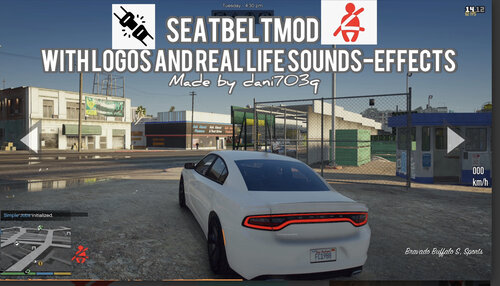
Introducing SeatBeltV This is a simple Seatbelt mod called "SeatbeltV" it makes you able to toggle and untoggle your seatbelt. To Toggle SeatBelt The Default Key Is U (Can Be Customized in the ini file) For controller the button is Dpad-UP ATTTENTIONNNN!!!! THE BUTTON TO TOGGLE SEATBELT ON CONTROLLER IS DPAD-UP, i made a mistanke in the read me file! (Feautures) - 1.You cant be dragged out of vehicle while the seatbelt is on - 2. You Cant Exit The vehicle while the seatbelt is on - 3. warning Sounds / Chime Sounds (Can Be Configured In The Ini File) - 4. You Cant Fall Out of the vehicle while the seatbelt is on - 5. Configureable Keys in the ini file - 6. High Quality Logos And Sounds - 7. Controller Supoort (Can Be Configured In The Ini File) - 8. Automatic Seatbelt (Can Be Configured In The Ini File) - 9. Different Logo Options Can Be Configured In the Ini File - 10. Different logos you can choose in the ini file' - 11. Edit size and logo for the seatbelt in the ini file - 12.Edit Audio Volume For Seatbelt & Chime Sounds In ini file - 13. Chimes For Cars Is Made Like Real Life Scenarios It only - 14. Starts If You Are Driving The Car Not if You are Stopped. - 15. toggleable seatbelt warning system - 16. You cant toggle seatbelt while using phone •Toggle Keys - Controller support = D-pad Up! - For keyboard the default key is U but can be manually be customized in ini file! How To Reload Script - press F4 - Type "Reload()" Remember The big R! • Not Compatible Mods -Manual Transmission works with this mod, but the animations does not! • Requirements- ScripthookV - http://www.dev-c.com/gtav/scripthookv/ scripthookv.net (Community) - https://www.gta5-mods.com/tools/scripthookv-net. NativeUI. - https://github.com/Guad/NativeUI/releases • Installation Help- - First You Need To Have ScriptHookV & ScriptHookV.net In Your GTAV Root Folder -You Need NativeUI Which You Can Download On https://github.com/Guad/NativeUI/releases/ once you have all installed make a new folder named scripts folder. Then put NativeUI files in there and put seatbelt V inside scripts folder too. - if you are not using Controller support set controller support to false in the ini file or the ] key Will Toggle the seatbelt