


Frustrated with mods
Members
-
Joined
-
Last visited
Everything posted by Frustrated with mods
-
-
-
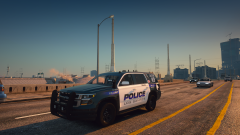
Frustrated with mods replied to Frustrated with mods's topic in LSPDFR 0.4 for Legacy Edition SupportHey Chris, thank you so much. I actually discovered the RageNatUI was missing after I sent this post. A silly error on my part. So far the game is running nice with Natural Vision Evolved, World of Variety and Livery World Evolved. For anyone interested, I installed them in the same order as written with LSPDFR installed after NVE. Finally, I have a stable modded GTA V and LSPDFR. As someone who knew nothing two months ago it's been a huge learning curve. Thanks mate :-)
-
RagePluginHook.log
-
RagePluginHook.log
-
Maybe the LSPDFR 4.9 version is corrupt?
-
Damn, I thought my message was for A Stranger. While I'm here, you approach is confusing: I have fixed my issues..here is what I did..I moved lspdfr folder into the plugins folder.. click back..delete lspdfr FOLDER IN GTA DIRECTORY download manual install extract to itself once extracted just copy the lspdfr folder back into THE MAIN GTA5 DIRECTORY ..that's all I did and I've been having issues for ever now finally fixed. If you move the lspdfr folder from the GTA main folder into the plugins folder then it will combine with the folder that has exactly the same name in the plugins folder. If you go back to the main GTA folder there's nothing to delete because you just moved it. Am I missing something here? If I download the manual install the files are still missing, as they are not present in the installation files: [6/13/2022 6:46:08 AM.577] LSPD First Response: [WARN] Path without extension: lspdfr/data/custom. I'd imagine you took the time to find solution, so articulating how you achieved this would be greatly appreciated 🙂 RagePluginHook.log
