


Max226
Members
-
Joined
-
Last visited
Everything posted by Max226
-
 I love this for RP. Could you add a coffee cup and a donut that you can hold and walk with that would be awesome.
 -
I have also tried reinstalling EUP and rage did not work
-
When I press f11 the eup menu is not there. I first thought it did not load. But it’s invisible. If I hit all the keys to get to wardrobe and load a save it works. The problem is the menu it’s self is invisible. I have know idea what to do.
-
-
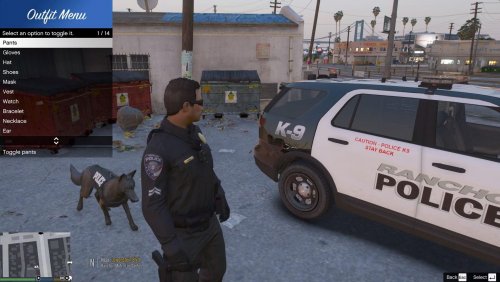 I have the id’s set to show a tee shirt when taking of shirt. The problem is if I have a long sleeve on my ped then take the shirt of there’s no arms just hands show. Please make the option in the settings file to set what upper skin/Torsos to use when taking shirt off so it can fix this problem. Thanks in advance and the mod is great keep up the good work.
- 28 comments
- 12 reviews
-
-

- 1
-
-
My problem is when I select the last pant or top option in the eup menu my game crashes. I don’t know what could be causing it to happen. I have seen in the forms this is happened before but no helps. So if you see this and know a fix please share.
-
Real good mod. I would like to see the option that when you take the shirt off it will change the upper skin. So that if you have a long sleeve shirt on and you take it off arms/arms&torso shows up. And make it customizable in the settings file so that it can be set up for a tee shit (just arms) or no shit (full upper body).
- 28 comments
- 12 reviews
