


.png.8dd4d1fc89d5e7dbdc72d46a63b2f124.png)
.png.f09940b8d80f468cd9ad5564a8ec4bbf.png)
Skripit
Members
-
Joined
-
Last visited
Everything posted by Skripit
-
-
Jo what's wrong with you. One of my friends had the problem (he had a cheaper PC) and when he reduced the graphics settings everything worked. I speak from experience. (Btw he also had the latest RageNativeUi verison, we had checked that before as well.)
-
Hello Fabian, this is maybe caused by your PC performance. If you have installed many mods and have a not so good PC and these plugins are then loaded by "ForceDuty", then the PC may not be able to handle it. Try to reduce the graphics settings in GTA or take out some plugins. If this is not the problem you should try to remove everything you installed at the time of the crash and see if the problem still appears. I hope I could help you.
-
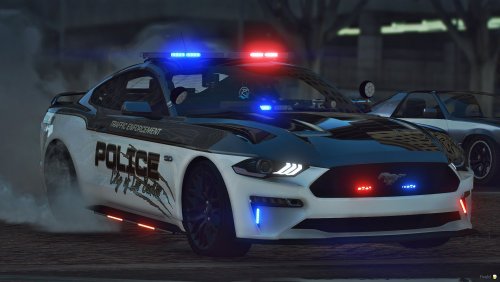 Realistic handling for the Mustang GT This handling allows you to drive your Mustang GT with a realistic feel. It is important that it should be REALISTIC and NOT deliver the best possible driving experience! Please read the included ReadMe file for installation instructions and more information. If you have any suggestions for improvement, feel free to share them with me, so that the handling can always be improved! Enjoy! Re-uploading and editing the handling is forbidden!
- 4 comments
- 1 review
-
When I turn on the lightbars on my ELS vehicles I only see them white up close, then when I go further away the vehicle lights up in the normal red blue colors. ELS is installed correctly. I don't know what the problem is. Thanks for your help
.thumb.png.f3e420abf61ace0c2ef20a275b623340.png)
