
AquilaNera
Members
-
Joined
-
Last visited
Everything posted by AquilaNera
-
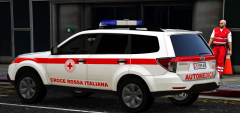
From the album: Subaru Forester - Automedica Croce Rossa Italiana
© AquilaNera
-
-
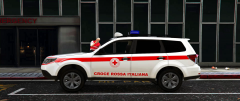
From the album: Subaru Forester - Automedica Croce Rossa Italiana
© AquilaNera
-
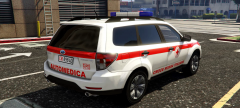
From the album: Subaru Forester - Automedica Croce Rossa Italiana
© AquilaNera
-
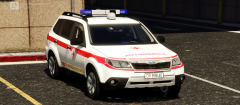
From the album: Subaru Forester - Automedica Croce Rossa Italiana
© AquilaNera
-
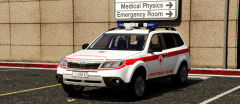
From the album: Subaru Forester - Automedica Croce Rossa Italiana
© AquilaNera
-
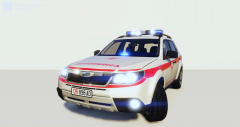
From the album: Subaru Forester - Automedica Croce Rossa Italiana
© AquilaNera
-
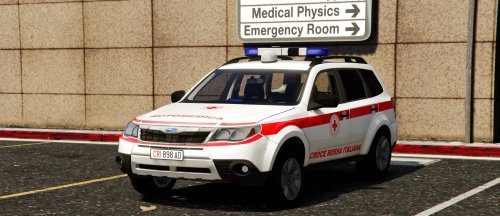 CREDITS: Original model from GTA SA by: Vladka72 - Allcash Conversion from GTA SA by: AquilaNera Photo in game by Rockstar Editor Bonnet: Modeled by AquilaNera Roof: Modeled by AquilaNera Lightbar: Modeled by AquilaNera ENGLISH Hello everyone! Subaru Forester Croce Rossa Italiana Feature v1: Discreet interior Excellent exterior Working Doors Working lights Working steeringwheel All the glass breaks Installation: 1- Copy the "subaru118" folder to "mods\update\x64\dlcpacks" 2- Open the "dlclist" file in "mods\update\update.rpf\common\data" Paste the following string: dlcpacks:/subaru118/ Save the file. 3- Copy the "subaru118" xml file to: Grand Theft Auto V\ELS\packdefault For bugs and any reports in the comments section ----------------------------------------------------------------------------------------------------------- ITALIANO Ciao a tutti! Subaru Forester Croce Rossa Italiana Funzionalita v1: Interiore Ottimo Esteriore Porte Funzionanti Luci Funzionanti Volante funzionante Tutti i vetri si spaccano Installazione: 1- Copia la cartella "subaru118" in "mods\update\x64\dlcpacks" 2- Apri il file "dlclist" in "mods\update\update.rpf\common\data" Incolla la seguente stringa: dlcpacks:/subaru118/ Salva il file. 3- Copia il file xml "subaru118" in: Grand Theft Auto V\ELS\packdefault Per bug ed eventuali segnalare nella sezione commenti.