
Slurpy
Members
-
Joined
-
Last visited
Everything posted by Slurpy
-
-
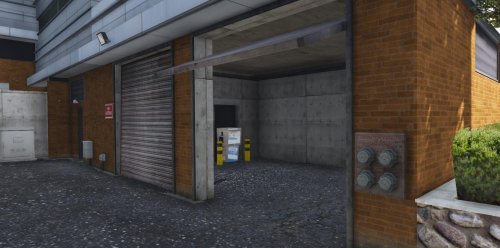 • Police Department Fuel Pumps - Mission Row Police Department - Fuel Pumps for Heli's & Car's • Discord Server Link: https://discord.gg/3CZATUybHT • Installation FiveM: - Navigate to the FiveM folder. - Drag and drop "PDFuel" into server resources. - Start "PDFuel" - Have Fun!! • Installation Singleplayer: - Navigate to the Singleplayer folder. - Open OpenIV and enable Edit mode. - Navigate to: Update> x64> dlcpacks> custom_maps>dlc.rpf> x64> levels> gta5> citye> maps> custom_maps.rpf - Drag and drop the files into folder. - Have Fun!! • Change Log: - 1.0 Initial YMAP.
 -
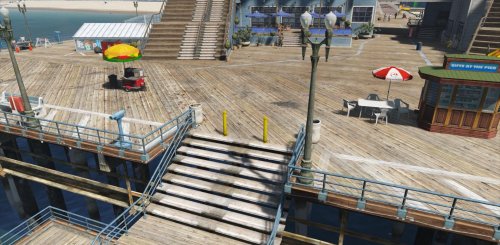 • Anti Pier Jump - Del Perro Beach - Block cars from sending it off the end of the pier for RP servers. • Discord Server Link: https://discord.gg/3CZATUybHT • Installation FiveM: - Navigate to the FiveM folder. - Drag and drop "AntiPierJump" into server resources. - Start "AntiPierJump" - Have Fun!! • Installation Singleplayer: - Navigate to the Singleplayer folder. - Open OpenIV and enable Edit mode. - Navigate to: Update> x64> dlcpacks> custom_maps>dlc.rpf> x64> levels> gta5> citye> maps> custom_maps.rpf - Drag and drop the files into folder. - Have Fun!! • Change Log: - 1.0 Initial YMAP.
 -
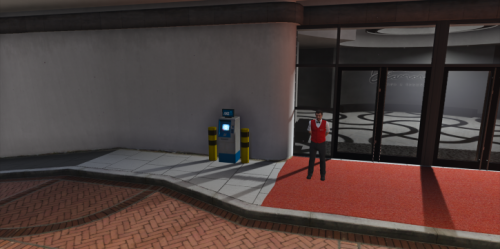 • Casino ATM - The Diamond Casino & Resort • Discord Server Link: https://discord.gg/3CZATUybHT • Installation FiveM: - Navigate to the FiveM folder. - Drag and drop "CasinoATM" into server resources. - Start "CasinoATM" - Have Fun!! • Installation Singleplayer: - Navigate to the Singleplayer folder. - Open OpenIV and enable Edit mode. - Navigate to: Update> x64> dlcpacks> custom_maps>dlc.rpf> x64> levels> gta5> citye> maps> custom_maps.rpf - Drag and drop the files into folder. - Have Fun!! • Change Log: - 1.0 Initial YMAP.