


Moten
Members
-
Joined
-
Last visited
Everything posted by Moten
-
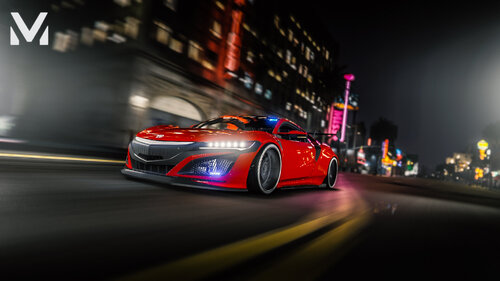 Great model and okay lighting. However, there are some few things to consider. (This is pretty much what everybody said in the comments). Three Reasons: 1. vehicles.meta has missing flags for a police vehicle and only has sport car flags. Just like what the others pointed out... - Should have complete police flags <flags>FLAG_SPORTS FLAG_RICH_CAR FLAG_HAS_LIVERY FLAG_RECESSED_HEADLIGHT_CORONAS FLAG_NO_BROKEN_DOWN_SCENARIO FLAG_COUNT_AS_FACEBOOK_DRIVEN FLAG_LAW_ENFORCEMENT FLAG_LAW_ENFORCEMENT_LIGHTS FLAG_EMERGENCY_SERVICE</flags> 2. vehicles.meta also has a wrong vehicle class. - It must be <vehicleClass>VC_EMERGENCY</vehicleClass> 3. Carvariations siren Settings value is on 0, thus not allowing to do takedowns and such. - Put the value into 1 And though because it's an unmarked police car, personally (maybe in reality) it should have an automatic ELS than a manual one, like what you just did.
 -
 Dang, you're right. I was using tinted windows the whole time and never noticed - my mistake. Thanks.
 -
Heyo, the car and lighting is great. However, there is a slight problem... I use RadianceV - the back light for this car, however, is not bright: there's no radiance. The back light is the only light out of the rest that has no radiance. And/or perhaps, it's not bright enough.
-
No yeah, of course lmao. But I guess it is what it is...
-
That's pretty appalling... I never played LSPDFR for more than a year - only would I use it again just last month (soon after the Bounty Hunters update, along with their updated SHV and RPH). Thanks for the heads up. - and unless there's a solution. . . Edit: THAT IS, of course, if we just launch GTA V offline mode (basically it launches without the need for Rockstar Social Club). Is that even possible (?)
-
Rockstar had recently released a new Title Update v3274.0, which was unexpected. Fortunately, I had backup files and was able to revert to the previous game version (I use Epic Games). However, the problem occurs when I tried to launch the game - it wouldn't launch and do s***. I unfortunately had the auto update turned on - because I was too lazy to turn it off - which at first was a speculation to this problem despite having backup files. Here's my POV: 1. Start Up Epic Games Launcher *GTA V Has Updated* 2. Start Up RPH 3. Had it Revert to Previous Game Version *Once finished, the RPH menu came up then INSTANTLY DISAPPEARS* 4. Clicked RPH *Doesn't Work* 5. Clicked GTAV.exe *Doesn't Work* In conclusion, it doesn't want to launch anymore. I tried to Launch GTA V in Epic Games - it only shows LS-0013 error code, which is likely just an error detection of 'outdated files'. I need to know whether or not this has to do with the GTA V files or whatnot. Everything (hopefully everything) was backed up and just won't do anything anymore. Any suggestions?
