


MrTraxon
Members
-
Joined
-
Last visited
Everything posted by MrTraxon
-
I haven't got installed, the only way to fix it was to delete dinput8.dll, but then none of my mods load
-
Hello, I havent played gta on my pc for a few months, when i left it, it was fine. Now i have Installed the new update, and redownloaded scripthookv and lspdfr, but now if i press single player on launch, it crashes about 3-5 seconds after. I have tried making my mods folder be renamed to _mods, but that hasn't worked. Also my RAGEpluginhook says its out of date, but i can't find a new version, and even if in start it up without it has the same issues the other thing i do have gameconfig, packfile and heap adjuster edit: i used this and it worked https://www.gta5-mods.com/misc/kryst4lclr-s-gameconfig-updated-regularly
-
I was wondering if there was a way to have my default LSPDFR character to the EUP menu, as whenever i use the another character, I can't use the default character without reloading the plugins.
-
is it an addon vehicle or is it replacing vehicle?
-
(this might not be a lspdfr issue as ive been downloading mods from both JulioNIB and the darth knight) whenever i press f3, it switches between different shoe options, e.g. on michael it removes and readds the shoe and lspdfr charcter it changes to sneakers and then an untextured (black and white square sneakers), and the female lspdfr characters shoes change from high heels to sneakers. It might not be an lspdfr issue, as it happens even without RPH installed, but if anyone had any suggestions on fixing the issue it would be very much appreciated it switches from this and the other screenshot
.thumb.png.9d5a860d62d22a9861975c7c01f6051d.png)
.thumb.png.506968236c00bd323a383fa1e143b611.png)
-
On some of the addon packs i have installed (this example being 11john11's LSSD Pack [Add-On + Replace] FINAL 2.0b), the lights on the lightbar isnt working for some of the vehicles. however, some of the vehicles, the lightbar has synced properly. Is there anything i can do to fix this? Edit: could it be to do with the fact that i have radiance V installed? Edit 2: I uninstalled radiance V (put the visualsettings.dat from the non mod update into the mods folder), but im still getting the same issue Edit 3: for anyone looking for a fix, i found it. You need to install this mod https://www.gta5-mods.com/scripts/sirensetting-limit-adjuster
.thumb.png.4adc9e7477fc2b42161f02d78d202ddc.png)
-
I have just restarted playing this after many months, but i was wondering if i could see all the mods i have previously downloaded on this account. Is there a place i can go on this website to see the mods i have previously downloaded?
-
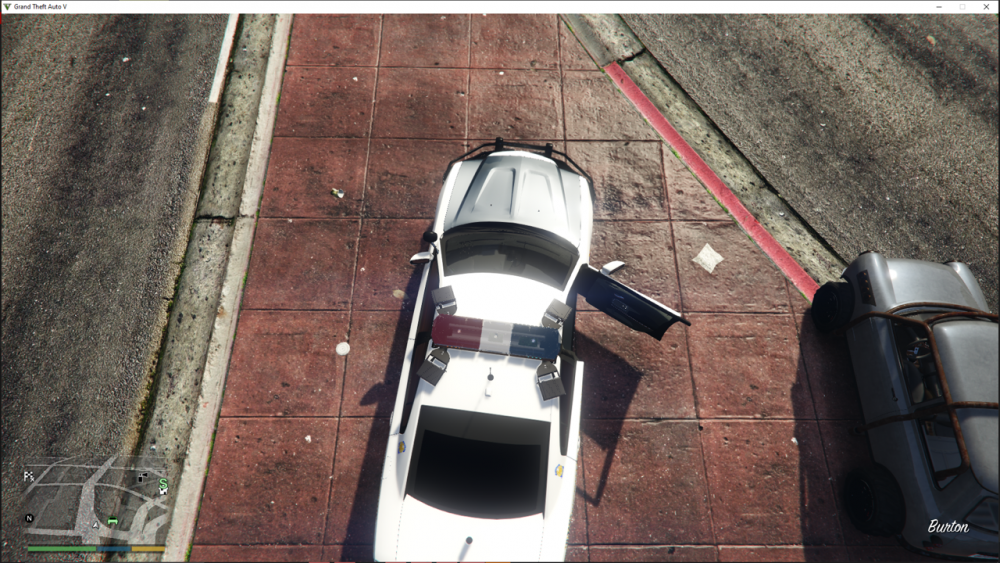
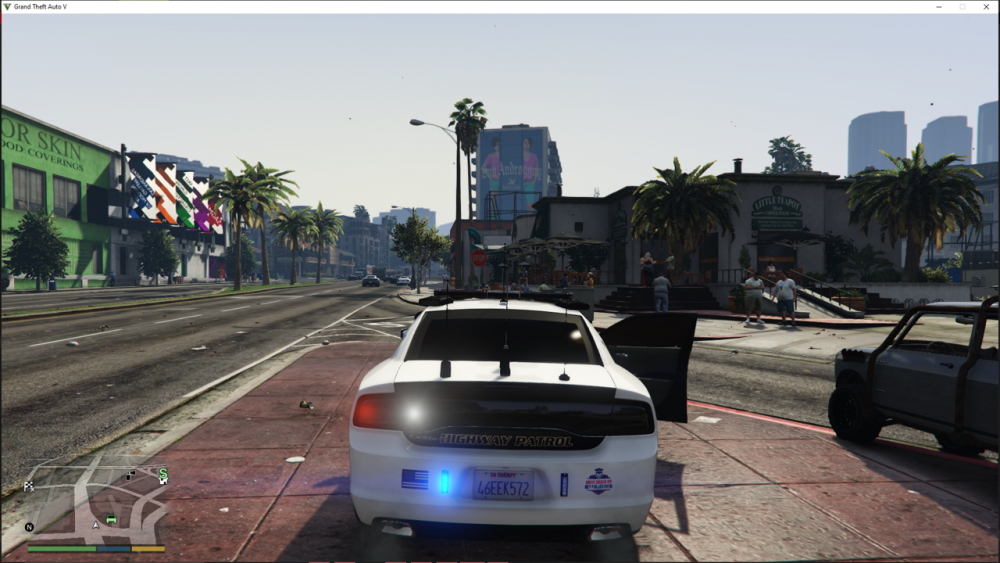
2 other things, I have radiance V if that could be the problem, and also when you look at it from above the lightbar (birdseye view), you can see the lights working, but when you look down, it glitches
-
My ELS is fine for all my other vehicles, but when I try and use it on the unmarked cruiser mod, the lightbar is not working. All the other lights on the car works, just not the lightbar. I've tried adding a new vehicle to replace the car mod I had, but the exact same issue occured. Any suggestions?
-
do you know how long it will take
-
-
(I'm new to this so apologies if it is something obvious). I've got ELS downloaded, but the car that I installed, the lights don't work. Also, from the other forums ive read, it might be something to do with the asi loader, so ive attached that asiloader.log

.png.dd739cee492ffa245380718d39be03fd.png)
.png.7ac5b371506f7546f717087b70dcbb2a.png)
.png.ab0bc26b02ceedc9ff1973c9ebf64202.png)

