




Carrythxd
Members
-
Joined
-
Last visited
Everything posted by Carrythxd
-
I haven't experienced any issues like that so I can't say if it fixes that or not
-
Sorry for not responding to this earlier, I completely forgot that I had this topic here :P I used the DLC Pack template that Vampyre above posted and it has worked perfectly fine, I haven't had a single issue so far related to the lights and sirens that I haven't been able to fix (I have one issue with the pack which I can't seem to figure out how to fix but it's not related to lights or sirens at all) and I've added over 20 vehicles into the pack, all of these being emergency vehicles. However, I had 2 vehicles that had no lights or sirens in the exact same pack, I fixed them by changing "<audioNameHash>POLICE2</audioNameHash>" to "<audioNameHash>police2</audioNameHash>" in the vehicles.meta line. I'm not exactly sure if the capitalized audioNameHash was the issue but for both of those vehicles, changing the audioNameHash to be non-capitalized fixed the issue. If you're having a similar issue with the lights and sirens, I'd recommend trying that out and seeing if it works
-
Awesome, thanks :P
-
Can you add this one? http://www.lcpdfr.com/files/file/12339-vapid-v450-ambulance/
-
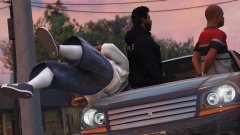
From the album: Carrythxd's Pics [V]
-
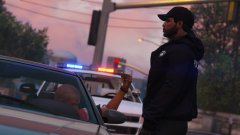
From the album: Carrythxd's Pics [V]
-
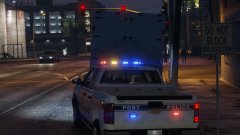
From the album: Carrythxd's Pics [V]
-
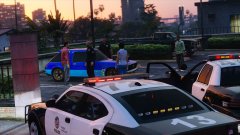
From the album: Carrythxd's Pics [V]
-
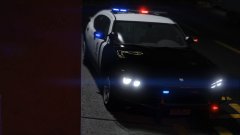
From the album: Carrythxd's Pics [V]
-
No problem!
-
It was one of the callout packs that somebody released on LCPDFR.com but I can't remember what was the name of it
-
This one here:
-
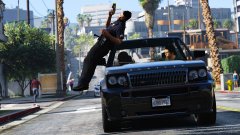
From the album: Carrythxd's Pics [V]
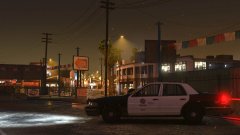
From the album: Carrythxd's Pics [V]
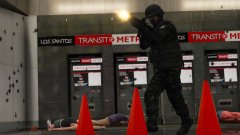
From the album: Carrythxd's Pics [V]
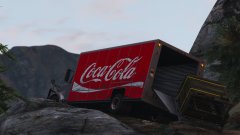
From the album: Carrythxd's Pics [V]
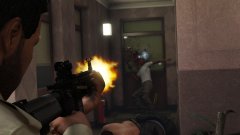
From the album: Carrythxd's Pics [V]
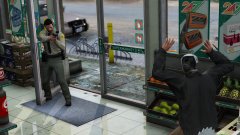
From the album: Carrythxd's Pics [V]
Now that you mentioned using a DLCPack from an already existing mod, I'm pretty sure the issue is caused by that! But at the moment I'm going to be removing my modded GTA V completely in a few days due to the new DLC for the game being released this Tuesday so I won't be trying the method that you posted above until some time next week, but I'll give it a try once I can and I'll let you know if it works or not!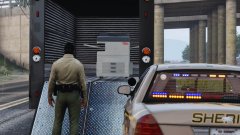
From the album: Carrythxd's Pics [V]
Not what I was looking for, but I'm pretty sure the driver deserves a ticket for not strapping the copy machine onto anything in the back of the truck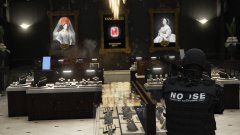
From the album: Carrythxd's Pics [V]
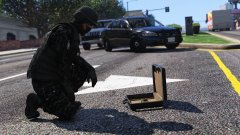
From the album: Carrythxd's Pics [V]
 I'm also having FPS drops in north Los Santos with this mod enabled. No other mods expect Keep Calm and LSPD:FR, running on RPH .41 (Steam version / 1.0.757.4). FPS drops from around 80 to around 50 as soon as I go on duty at the Vinewood PD/ForceDuty via the RPH console, but as soon as I take the highway that is heading towards Blaine County the FPS goes back to 80. When I return to the north Los Santos area, the FPS drops back to 50. I've tried this with 2 copies of the game (both Steam & 1.0.757.4), one of them was fully modded (and it really is fully modded, haha. At first I just thought it was all of the mods running at the same causing the FPS issue, but then I checked the comments here and noticed that other people were having similar FPS issues) and the other one that I mentioned above only had Keep Calm & LSPD:FR installed. Both of these copies were running on RPH .41. After removing this mod, the game runs fine at the FPS that it should be running at with no issues, no matter the area that I'm in. I included the RPH log from the Keep Calm & LSPD:FR copy below, I'm not sure if it helps at all but I figured I'd post it in case it would help!
- 268 comments
- 44 reviews


