
Venoxity
Members
-
Joined
Files posted by Venoxity
-
SimpleHUD is script modification for your game displaying player's current location, as well as a compass and the time.
✨ Features
Postal System
Speed Limit
Advisory Signs
Time
Zulu Time
County
Cardinal Direction
Customize Menu
Custom INI
Road Name
Integration with Future Mods 👀
⚙ Requirements
ScriptHookV | Please make sure ScriptHookV is installed and up to date.
Packfile Limit Adjuster | Please make sure Packfile Limit Adjuster is installed and up to date.
📥 Installation
Navigate to your GTA V directory (e.g. C:\Program Files (x86)\SteamLibrary\steamapps\common\Grand Theft Auto V\)
Place the provided .asi and .ini files inside your main Grand Theft Auto V game directory.
Launch GTA V!
🛠 Support & Feedback
Need help or want to share your thoughts? We’d love to hear from you!
Join our Discord: Venoxity Network | Create a support ticket and someone from our team will assist you.
Found a bug or have suggestions? | Let us know in Discord, your feedback helps us make SimpleHUD even better!
⚖️ Legal
© 2026 Venoxity Development. All rights reserved. SimpleHUD is protected by copyright law. Redistribution or modification is prohibited without written consent from Venoxity Development.- 318,094 Downloads
- 557 Comments
Updated -
SimpleCTRL Plugin for GTA V
A friendly, feature-packed plugin that brings realistic vehicle control and immersive driving mechanics to Grand Theft Auto V.
🚘 Features
Tire Retainment | Keeps the wheels in the direction they were last turned when parked.
Brake Overheating | Adds realistic brake overheating mechanics, encouraging smarter and more cautious driving.
Prevent Seat Shuffle | Prevents automatically switching to the driver seat when entering from the passenger side.
Automatic Brake Lights | Activates brake lights automatically when the vehicle slows or stops.
Prevent Automatic Reversing | Stops the vehicle from automatically shifting into reverse after braking from forward motion.
Leave Engine Running on Exit | Allows the engine to stay on when exiting the vehicle.
Realistic Vehicle Damage System | Implements detailed damage mechanics for more immersive and believable crashes.
Prevent Vehicle Rollover Recovery | Disables the ability to flip the vehicle back over using keyboard controls after a rollover.
Enhanced Speedometer Functionality | Adds a speed indicator to the map, showing how fast you're currently going.
⚙ Requirements
RageNativeUI | Please make sure RageNativeUI is installed and up to date.
📥 Installation
Navigate to your GTA V directory *(e.g. `C:\Program Files (x86)\SteamLibrary\steamapps\common\Grand Theft Auto V\`)*
Create a folder called `plugins` if it doesn't already exist.
Drop the `SimpleCTRL.dll` file into the `plugins` folder.
Launch GTA V!
🛠 Support & Feedback
Need help or want to share your thoughts? We’d love to hear from you!
Join our Discord: Venoxity Network | Create a support ticket and someone from our team will assist you.
Found a bug or have suggestions? | Let us know in Discord—your feedback helps us make SimpleCTRL even better!\
✅ Thank You!
Thanks for using SimpleCTRL! We hope you enjoy the added realism and control. Drive safe, and have fun!
⚖️ Legal
© 2023 Venoxity Development. All rights reserved. SimpleCTRL is protected by copyright law. Redistribution or modification is prohibited without written consent from Venoxity Development.- 96,801 Downloads
- 447 Comments
Updated -
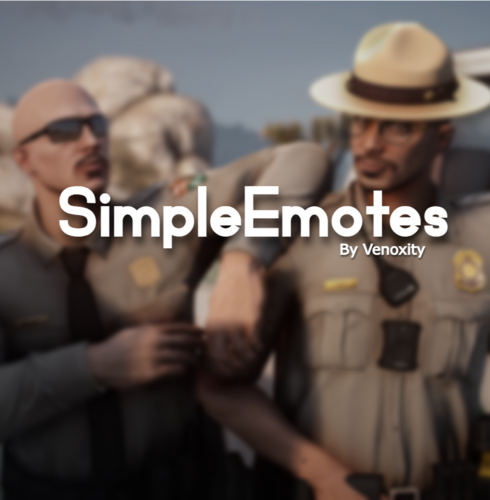
SimpleEmotes Plugin for GTA V
SimpleEmotes features a diverse range of emote categories, including 133 Walking Styles, 39 Scenarios, 34 Facial Expressions, and 553 Regular Animations, offering players a rich variety of expressive options.
✨ Features
Pointing Gesture | Players can mimic the GTA V Online pointing gesture by pressing the B key or double-pressing the left joystick.
Crawl/Prone/Crouch | Players can toggle crawling, prone, or crouch stances with Left Ctrl and Right Ctrl, enabling stealthy or tactical movement.
Binoculars | Players can turn on binoculars by opening the Rage console with F4 and typing Binoculars. This will give you the ability to zoom and look into the distance.
News Cam | Players can activate the News Camera by typing NewsCam into the Rage console after pressing F4. This feature provides a first-person news camera view, ideal for capturing in-game footage or role-playing as a news reporter.
⚙ Requirements
RageNativeUI | Please make sure RageNativeUI is installed and up to date.
📥 Installation
Navigate to your GTA V directory *(e.g. `C:\Program Files (x86)\SteamLibrary\steamapps\common\Grand Theft Auto V\`)*
Create a folder called `plugins` if it doesn't already exist.
Drop the `SimpleEmotes.dll` file into the `plugins` folder.
Launch GTA V!
🛠 Support & Feedback
Need help or want to share your thoughts? We’d love to hear from you!
Join our Discord: Venoxity Network | Create a support ticket and someone from our team will assist you.
Found a bug or have suggestions? | Let us know in Discord—your feedback helps us make SimpleEmotes even better!
⚖️ Legal
© 2025 Venoxity Development. All rights reserved. SimpleEmotes is protected by copyright law. Redistribution or modification is prohibited without written consent from Venoxity Development.- 8,638 Downloads
- 32 Comments
Updated -
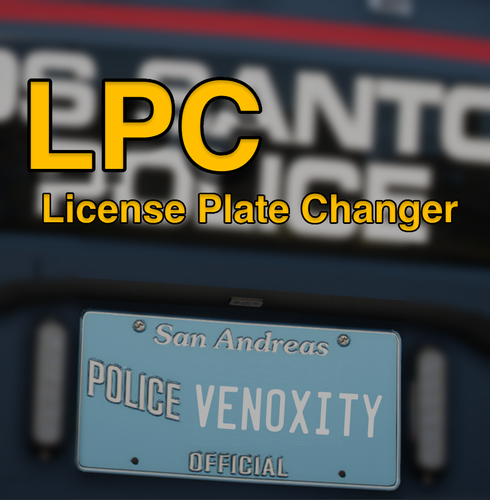
Unlike generic license plate modifiers, this plugin offers sophisticated formatting options tailored to different vehicle classes and types. Whether it's sports cars, sedans, motorcycles, or trucks, players can select from a range of preset formats that adhere to real-world standards, ensuring authenticity and immersion.
Requirements:
- ScriptHookV
- ScriptHookVDotNet
To Install this script, the .dll file must be placed in a "scripts" folder.
This folder can be reached by going to the Grand Theft Auto V directory and placing the .dll file in the "scripts" folder.
If this scripts folder does not exist, then you can simply create it.
Drive where GTA V is installed → Programs (x86) / SteamLibrary → Steam → steamapps → common → Grand Theft Auto V → scripts
If you need support, please join our discord server and create a ticket eventually someone will get to you!
Discord Server: Venoxity Network [www.discord.com]
I would be happy to receive feedback. If there are any Bugs, please let me know!- 7,926 Downloads
- 56 Comments
Updated -
GENERAL
Features:
- Weapon Safety Mode. Engage/disengage safety mode with a designated control.
- 3 Firing Modes. Full Auto, Single Shot, Burst Fire
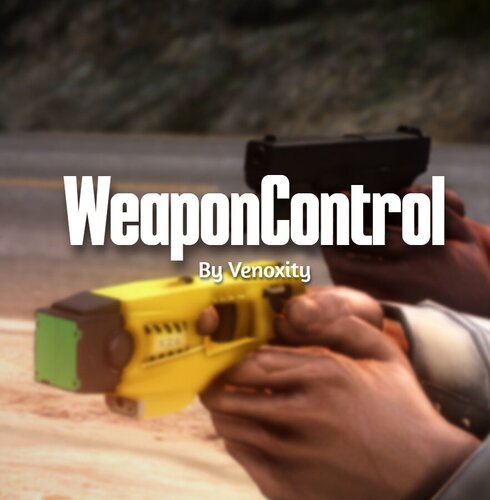
- Taser Functionality. Maximum cartridges capacity for optimal functionality.
INSTALLATION
To install this plugin, the .dll file must be placed in a "plugins" folder.
This folder can be reached by going to the Grand Theft Auto V directory and placing the .dll file in the "plugins" folder.
If this plugins folder does not exist, then you can simply create it.
SUPPORT
If you need support, please join our discord server and create a ticket eventually someone will get to you!
Discord Server: Venoxity [www.discord.com]
FEEDBACK
I would be happy to receive feedback. If there are any Bugs, please let me know!- 13,055 Downloads
- 37 Comments
Updated -
ExtraManager is a GTA V plugin designed to provide effortless control over vehicle extras through XML configuration. With ExtraManager, you can easily manage, configure, and synchronize the extra components of vehicles, ensuring they meet your precise specifications every time you play.
To install this plugin, the .dll file must be placed in a "plugins" folder.
This folder can be reached by going to the Grand Theft Auto V directory and placing the .dll file in the "plugins" folder.
If this plugins folder does not exist, then you can simply create it.
Drive where GTA V is installed → Programs (x86) / SteamLibrary → Steam → steamapps → common → Grand Theft Auto V → plugins
If you need support, please join our discord server and create a ticket eventually someone will get to you!
Discord Server: Venoxity Network [www.discord.com]
Installation Video: BlueLine Vibes [www.youtube.com]
I would be happy to receive feedback. If there are any Bugs, please let me know!- 6,645 Downloads
- 24 Comments
Updated